Posted 23 April 2024 by isjustian Categories:Uncategorized
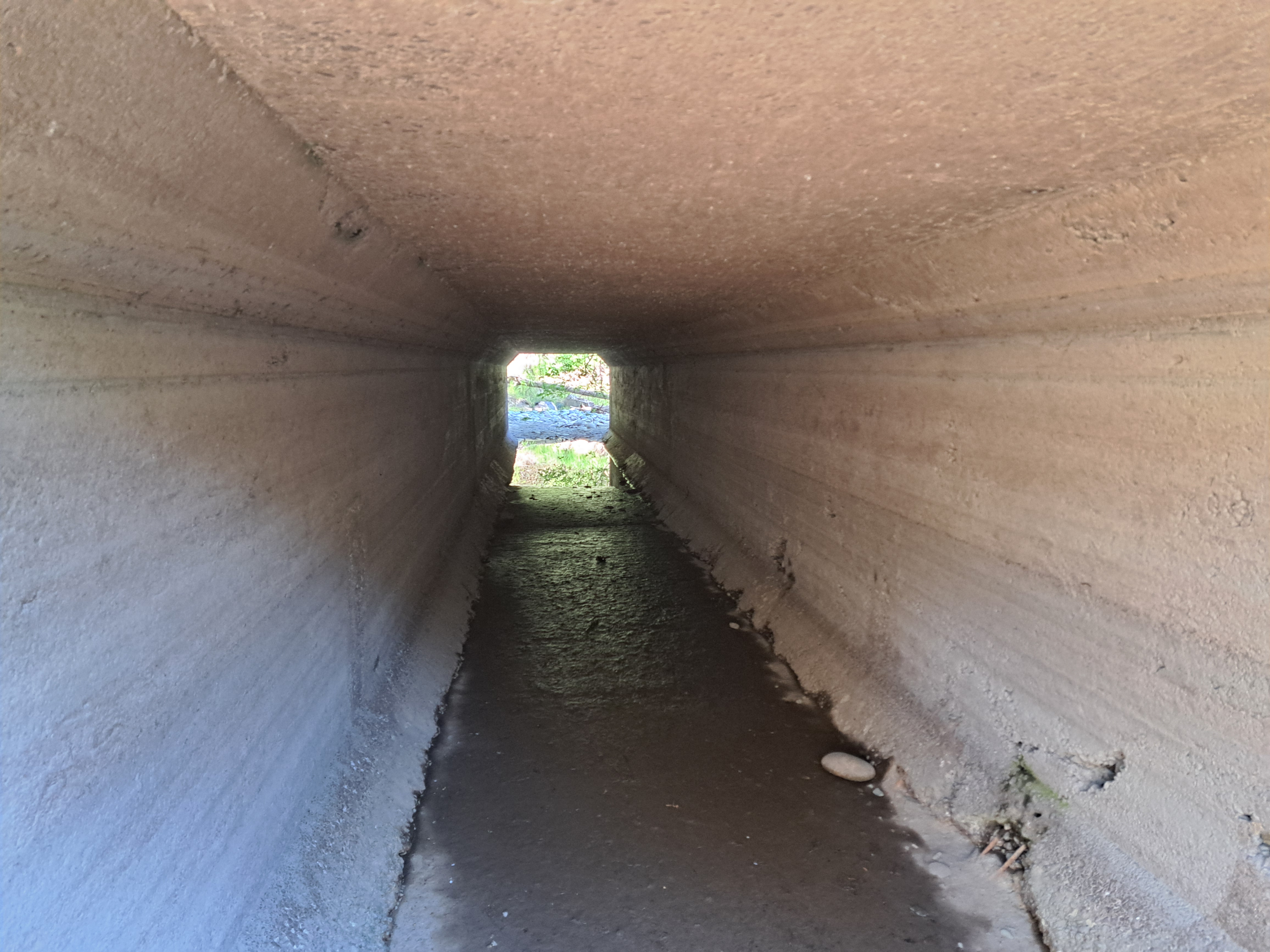
Yesterday, April 22, 2024, I went early in the evening to measure water depth at the inlet to a big culvert. From the road I could see there was no water. It’s always a bit discomfiting when that happens, but less surprising this time than some.
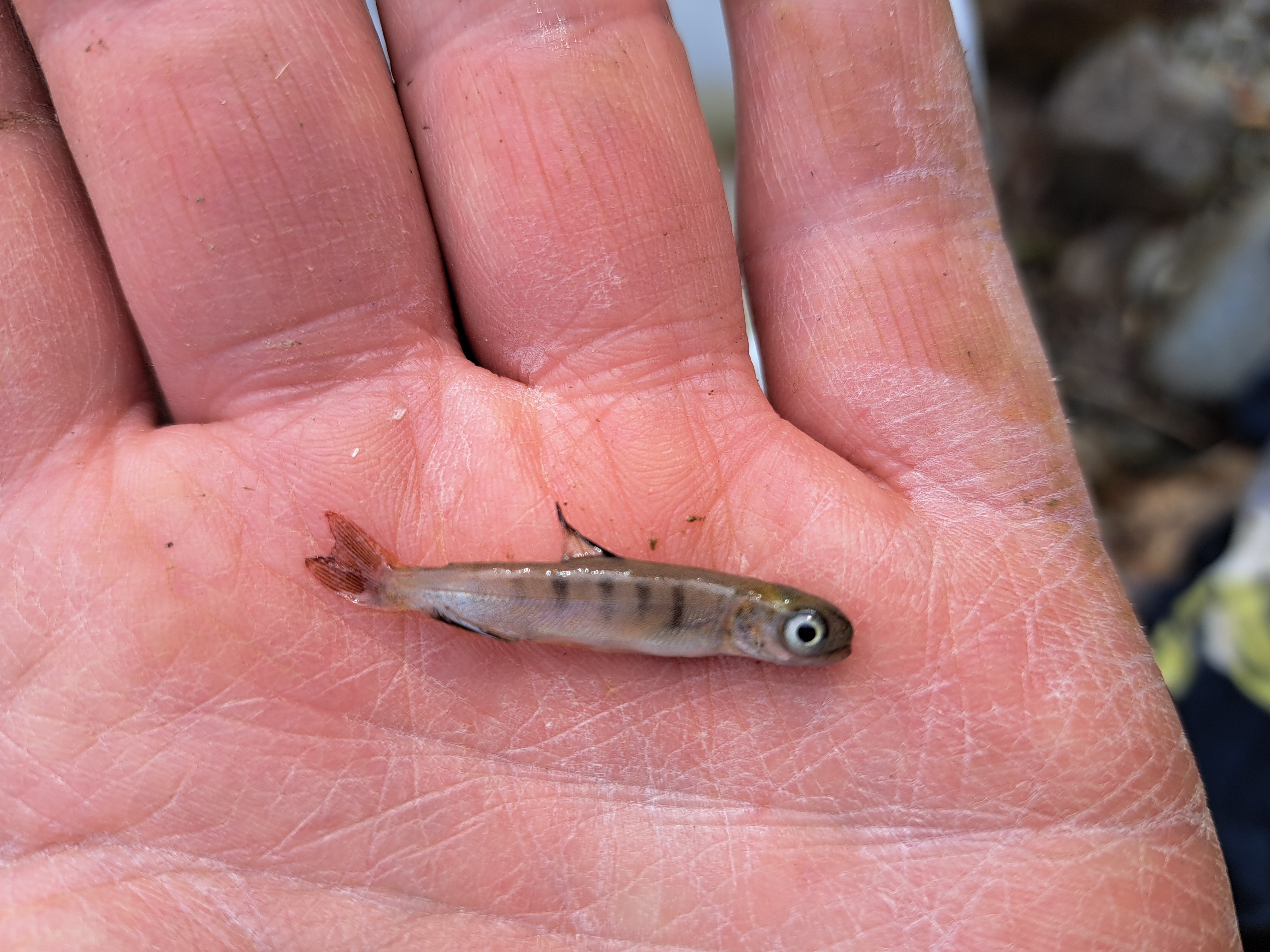
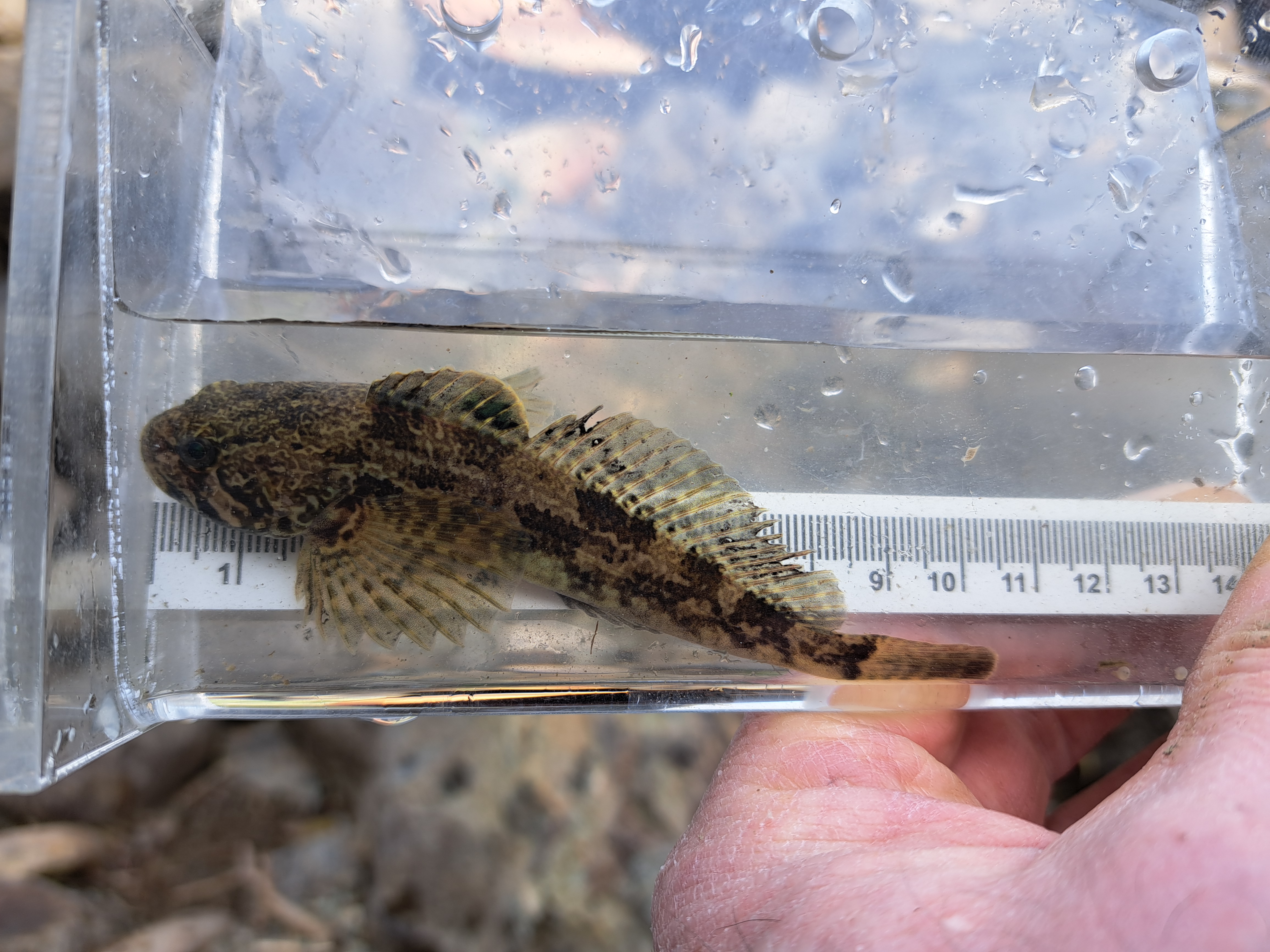
Going down to look through the culvert, to see if there was water at the other end, I found there actually was just a little water between cobbles and boulders in the lowest spot before the culvert. And in that water two prickly sculpin and one tiny fish that looked like a salmon. At the other end of the culvert was just a puddle where mud prevented all the water from draining out. I could see movement in the puddle.
Just a stones throw horizontally from the bottom of the culvert there was water in the stream, and another stones throw from there the Stó:lō, the Fraser River. But from the culvert to the water was a vertical difference of a couple metres. Even though the river should come up soon, the sculpins and tiny salmon wouldn’t survive long enough for that. Maybe whatever was moving in the puddle wouldn’t either.
I had nothing with me to try to catch or carry fish, and had other things I needed to tend to, so I told the one salmon and the sculpins that if they made it through the night I’d be back to try to help them out.
Went back as soon as I could in the morning, and my heart sank. There was no water at all where the tiny salmon and sculpins had been. It was hardly even damp between the rocks. I found the tiny salmon first. Dead of course. No sign of the sculpins. Maybe a heron or something ate them?
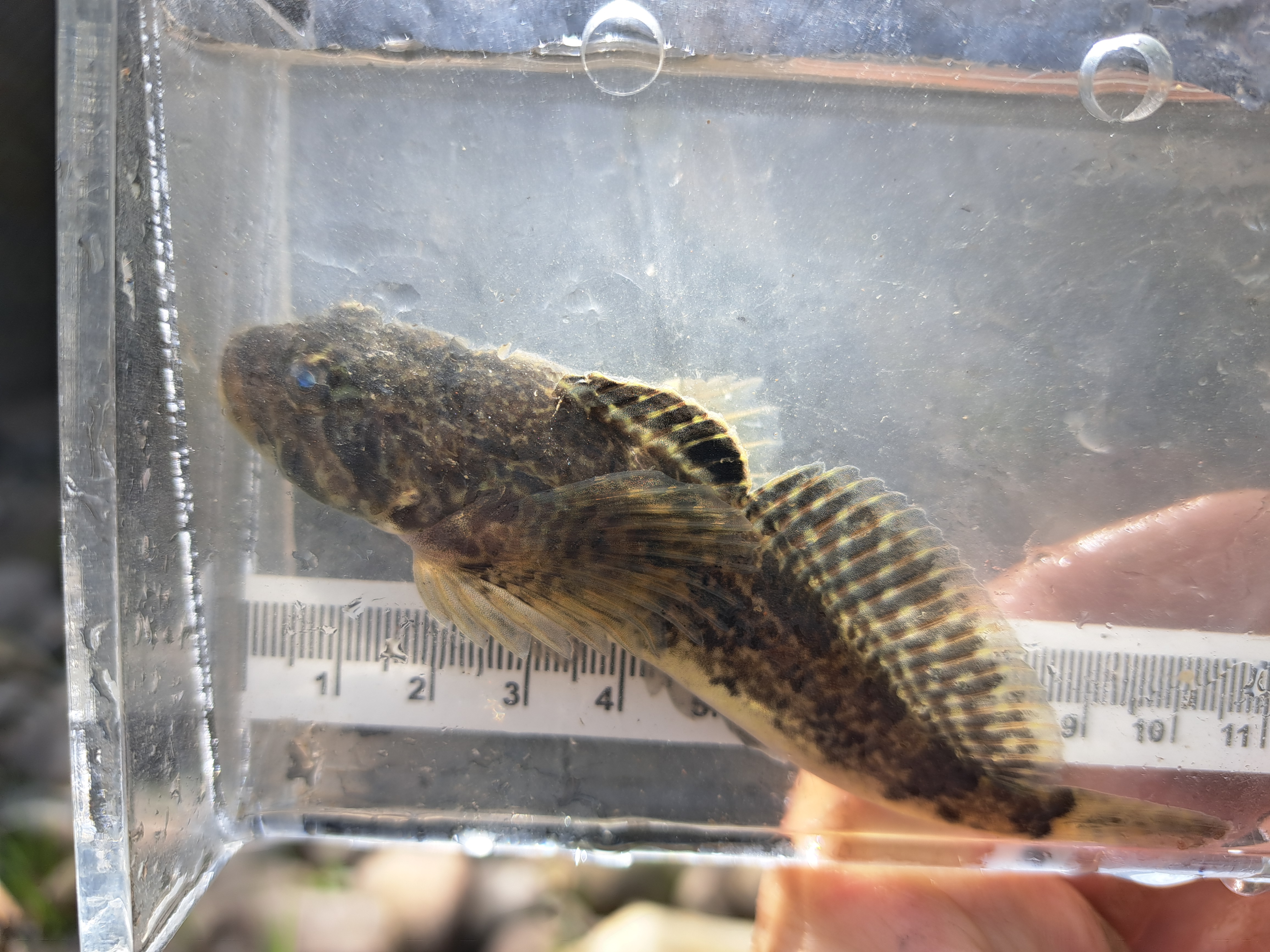
Just in case, I lifted a couple of rocks, and under one was a sculpin with some eggs! No water. Tough little sculpin there gasping in the air. So I scooped it up and into a bucket I’d filled with water from the stream. The sculpin perked up right away! Put the eggs in too. No idea whether they might make it, but why not.
There was a hole that seemed like the only place the other sculpin might be. Too small a hole to get a hand in, and boulders too large to move. I reached around a boulder and poked in a hole from the other side. I touched something that moved! Startled, I pulled my hand back, and at the same time the second sculpin came into view at the side of the hole I could see. But I couldn’t get hold of it from either side.
So I took the one sculpin and its eggs to the water, filled my bucket, and poured it by the hole the second sculpin was in. The water just disappeared. Got another bucket of water and that one brought the water level between the rocks up to about what it had been the night before. So I figured the sculpin had a chance, at least for the moment, and turned to the puddle at the other end of the culvert.
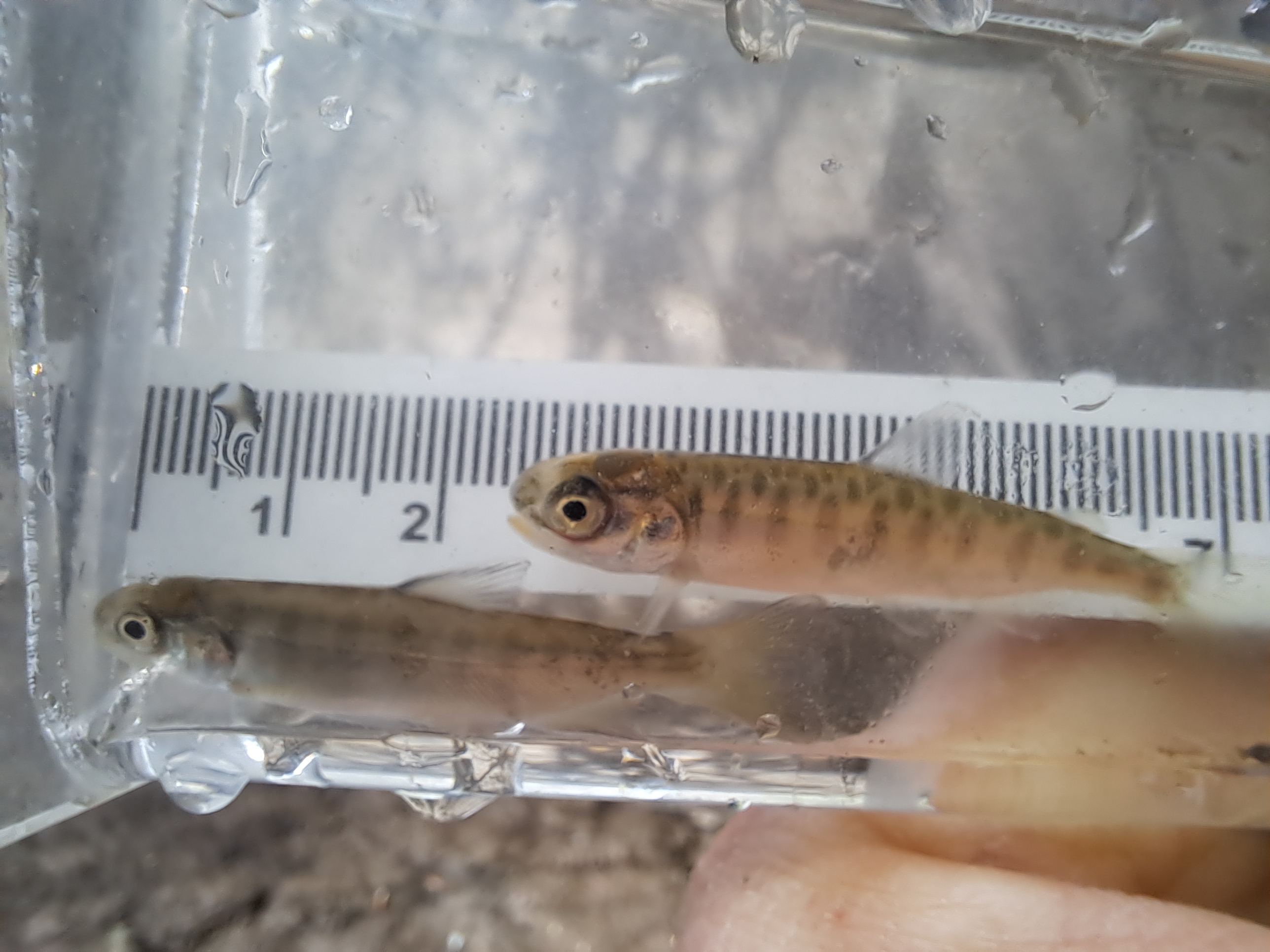
The puddle took quite a bit longer than I’d expected because there were a lot more fish than I’d imagined there could be in that muddy puddle. Caught 118 salmon there. 105 of them about 40 – 50 mm long, 12 about 70 – 80 mm, and one ‘big’ about 120 mm.
That wasn’t all of them, but most. I was getting worried that my muddying the water as I moved around catching them might be getting harmful. So stopped for today.
On the way out, I checked on the sculpin again. The water I’d poured was gone, but the sculpin was at the entrance to the hole, laying there gasping in the air. I’d barely be able to fit a couple of fingers in the hole, and figured as soon as I touched it the sculpin would disappear out of reach again. But this time I bent the handle of a little aquarium net, and managed to get it into the hole around the other side of the boulder and poke it through to try to limit where the sculpin could escape to.
Of course the sculpin tried to go for cover as soon as I tried to touch it. I gently worked at it with the net handle, trying to manoeuvre the fish around to where I could get it. It was pretty touch and go. I’d touch the fish and it would go to where I couldn’t. But finally I managed to get its tail between two fingers and pull it out of the hole!
It made my day to see that sculpin swim strongly around the bucket of water before being released downstream. A morning well spent.
There is abundant evidence that open net-pen salmon farms are not compatible with healthy wild salmon populations. Some of the best science on the topic has been conducted by or with DFO scientists. Like many issues where significant money is at stake, difficulty achieving evidence-based decisions and actions arises where politics comes into play.
A 1997 article in the Canadian Journal of Fisheries and Aquatic Sciences looked at the question “Is scientific inquiry incompatible with government information control?”. Citing research on Atlantic cod and Pacific salmon, the authors concluded that there was a need for a politically independent organization of fisheries scientists.
In 2011, DFO scientist Dr. Kristi Miller appeared at the Cohen Commission of Inquiry into the Decline of Sockeye Salmon in the Fraser River. Miller testified that she had been prevented by the Privy Council Office from speaking with media about her genomic research that pointed to a viral infection as a possible major factor in the decline of Fraser River sockeye salmon. Miller was escorted to and from the hearing room by a security person, who sat next to Miller during her presence at the hearing. No other DFO staff testifying in the hearings were treated in the same way. (Globe and Mail, 23 August 2011)
A September 2020 article in Ecological Applications, “Bias in self-reported parasite data from the salmon farming industry” found that industry’s monthly counts of sea lice were up to 1.95 times higher when counts were audited by DFO. The study concluded that underestimation of sea lice in non-audited counts likely led to fewer treatments and longer delays before treatments during sea-louse outbreaks, putting wild salmon populations at risk.
October 2020, an article was published in Proceedings of the Royal Society titled “Environmental DNA from multiple pathogens is elevated near active Atlantic salmon farms”. The authors, including Dr Kristi Miller, found that the probability of detecting pathogen environmental DNA (eDNA) was 2.72 times higher at active versus inactive salmon farm sites and 1.76 times higher per standard deviation increase in domesticated Atlantic salmon eDNA concentration at sites. The findings suggested that salmon farms serve as a potential reservoir for infectious agents and elevate the risk of exposure for wild salmon and other fish.
A study published in Science Advances in May 2021, “Aquaculture mediates global transmission of a viral pathogen to wild salmon” determined that Piscine orthoreovirus (PRV) originated in the Atlantic Ocean and spread worldwide through salmon aquaculture. Professor Jeffrey Hutchings, a leading Canadian fisheries scientist who was not involved in the study, commented that the study “provides the most compelling, scientifically objective evidence to date that wild salmon in BC are at increased risk of disease because of open net-pen Atlantic salmon aquaculture.”
In May 2022 written submissions to the Standing Committee on Fisheries and Oceans’ Study of Science at Fisheries and Oceans Canada, Bob (Galagame’) Chamberlin of the First Nation Wild Salmon Alliance noted that a quote of Professor Hutchings comment about the aforementioned study was removed from a Question Period Note to the Minister at the suggestion of DFO manager Dr Jay Parsons. Chamberlin’s submission concluded that “Without significant change, DFO will repeat its shameful history, mismanage wild Pacific salmon to extinction and extinguish many First Nations’ Aboriginal right to fish for food, social and ceremonial purposes.”
In another submission to the Standing Committee on Fisheries and Oceans, Dr Gideon Mordecai, a viral ecologist and geneticist at the University of British Columbia, cited a DFO Canadian Science Advisory Secretariat (CSAS) review that said that because PRV could be found in healthy fish on farms, “PRV is non-pathogenic”. Mordecai likened the CSAS statement to saying “that COVID does not cause disease because some infected individuals are asymptomatic.”
An article published July 2023 in the Canadian Journal of Fisheries and Aquatic Sciences, revisited the 1997 question of scientific inquiry and government information control with “Is scientific inquiry still incompatible with government information control? A quarter-century later“. The authors found that DFO continues to allow industry lobbying and other non-science influences to interfere with advice processes, including science advice related to salmon farming.
If uncertainty remains around the effects of open net-pen salmon farms on wild salmon, the precautionary principle must be applied commensurate with the vital role of wild salmon. Salmon farms can produce food and profits. They cannot produce the food equity of traditional salmon harvesting, nor the ecological, cultural, and spiritual benefits provided by strong wild salmon populations.
This blog post published with gratitude for all who work for the well-being of wild salmon, and SFU’s Community Scholars program which provided access to journals I otherwise wouldn’t be able to read.
Trans Mountain had a groundbreaking ceremony for construction of the Expansion Project July 27, 2018.
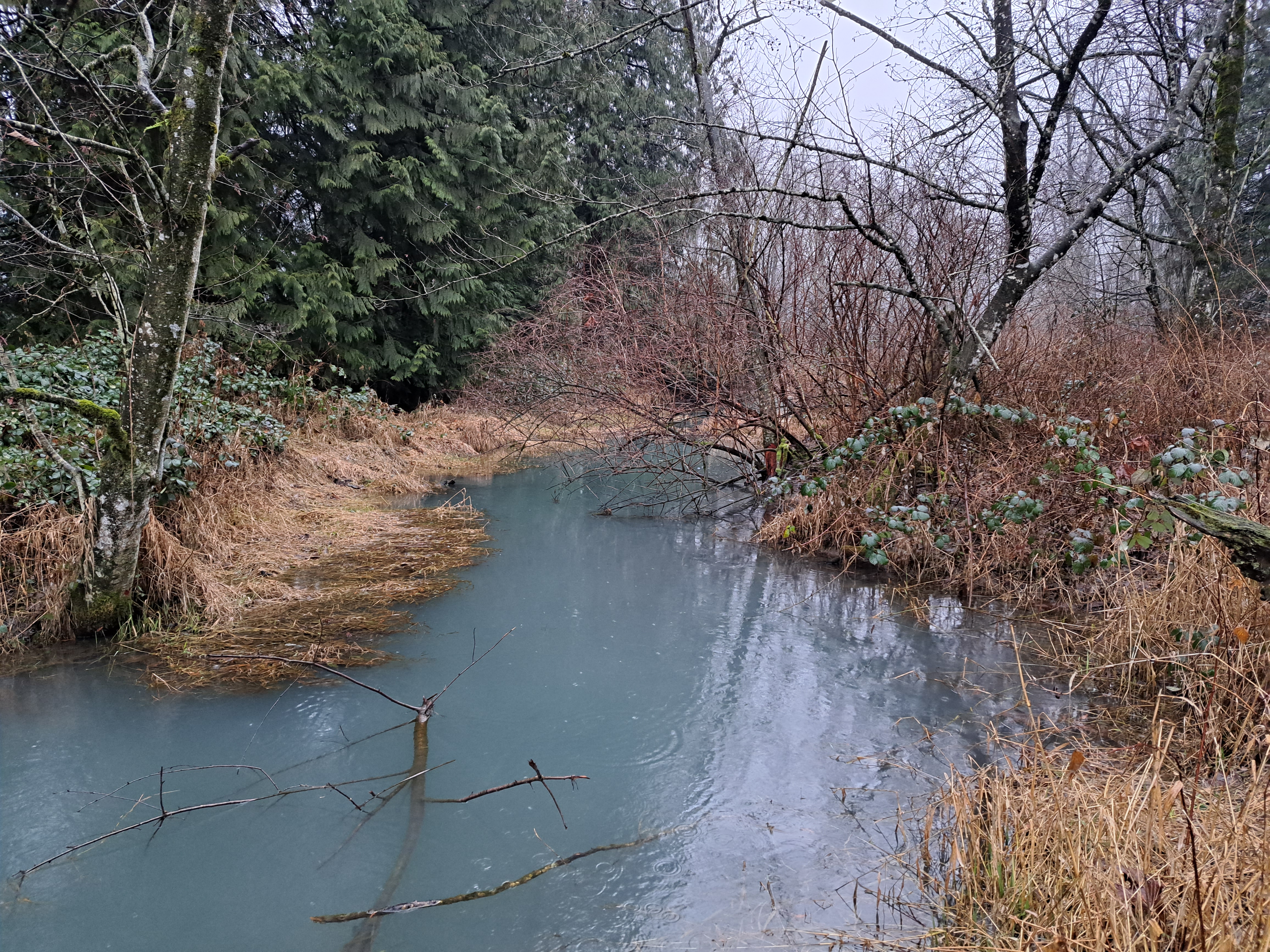
I learned of their pumping mud into Hopedale Slough January 21, 2023. That during active salmon spawning, and in a waterway federally listed as critical habitat for threatened Salish sucker. Also far from the first time this sort of thing has happened on the project.
Their construction progress report filed February 7 includes re the Hopedale Slough incident: “Plan is being developed to ensure monitoring at pump-off locations is completed as per the Trans Mountain Environmental Field Guide (EFG) for Pump-Off.”
4-1/2 years after starting construction, only now they’re making a plan to ensure monitoring?
More fun facts:
– in the construction progress report Trans Mountain list the incident as happening January 22 but photos were posted to Facebook by a Chilliwack resident at 10:38 am January 21. That resident said they had reported it to the RAPP line. My photo seen in this post was taken at 4:02 pm on the 21st. You can normally see the bottom of the stream there.
– Trans Mountain claim that “Elevated levels [of turbidity] were observed however returned to within guidelines within 24hrs.” I suppose that statement might be true if you count the 24 hours from the afternoon of the 22nd when someone finally emerged from Trans Mountain’s fences to take some pictures.
Yet another incident that clearly demonstrates that protection of public interest as it relates to a healthy environment, and even protection of species of economic importance or species at risk, is failed by the ‘authorities’ we have in place.
Posted 3 August 2022 by isjustian Categories:Uncategorized
I had this shirt on today. (Not my actual shirt, not my actual photo.) It was given to me by a friend in recognition of some work that was probably not enough to deserve it, but I’m grateful for the enthusiastic support of good friends.
I’d changed into it after spending the day prepping for, and then fumbling (pretty sure), a job interview. I was feeling wrung out, exhausted. Tried to nap. Couldn’t sleep.
Needed to go the grocery store and wanted to pick up a beer to drink while doing the dishes and listening to Destroy Boys fairly loud to try to settle my mind so I can sleep tonight.
Needed to go to the grocery store and wanted to pick up a beer. Looked at my shirt. And I took it off. Put on a plain t-shirt. I just didn’t feel like maybe getting into a conflict. Particularly with lots of pipeline workers in town. It felt cowardly.
My friend who gave it to me can’t take off being Wet’suwet’en when he’s tired and doesn’t want a hassle. My Stó:lō friends can’t take off being Stó:lō to go to the store. I’ve had a Stó:lō friend, someone who’s the kindest, biggest hearted person you could ever hope to meet, tell me “I don’t go to that store.” The people on the front line in Wet’suwet’en territory sure can’t escape the constant “Crown land” patrols of RCMP at all hours, and the likes of a man with a gun standing there telling them to “speak English” when they bring up the Delgamuukw case they won in the Supreme Court of fricking Canada.
I put on a plain t-shirt and went to the grocery store and picked up a beer with my spotty white skin some of which never tans and my shiny grey hair that you can see like a white-tailed deer’s backside running away.
It weighs on me, taking that shirt off. Maybe a fight would have been better. I hope my white and white-passing friends might weigh this a bit too if they read here.
First tray: sweet potato and a little onion with spices. Heavy on the turmeric.
Second tray: onion, carrot, celery, zucchini, orange pepper.
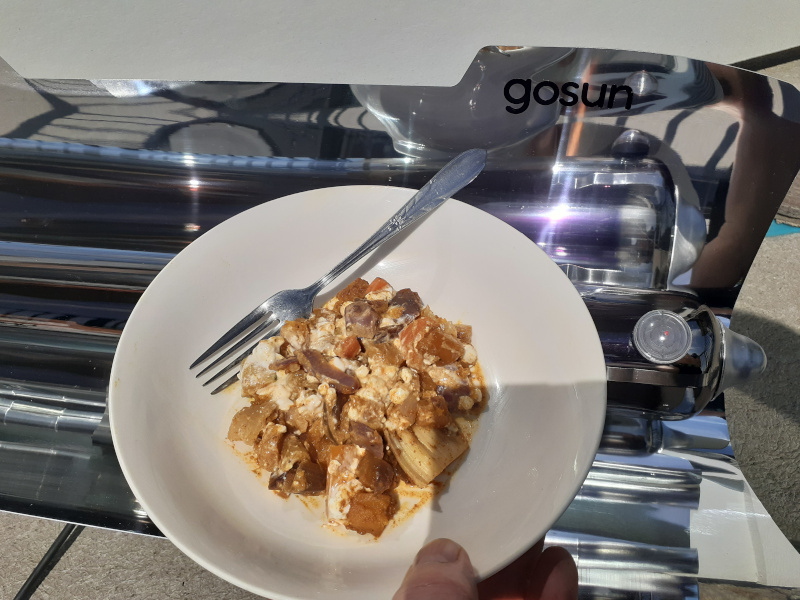
We only have one GoSun, so the first tray cools while the second is cooking. But the second finishes piping hot, so mix the two and it’s fine. Then on a whim I stirred in cottage cheese. Incredible!
Most delicious lunch ever. Cooked by the sun, and I’m chowing down thinking this is probably just like a favourite recipe from some exotic place. 🙂
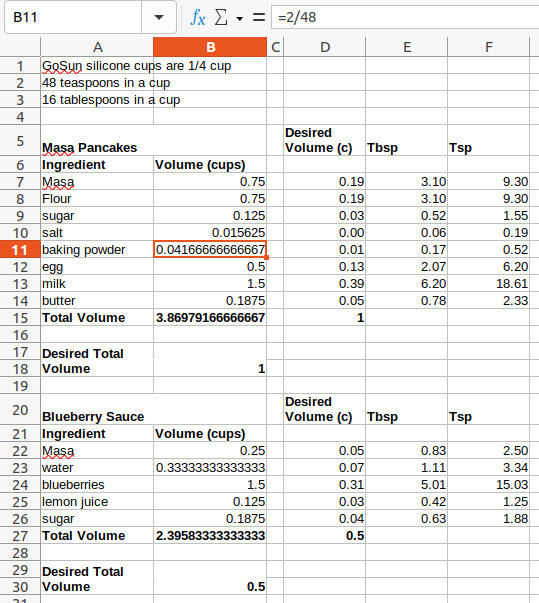
“How do I adjust the recipe so it will fit in the GoSun cups?”
* Makes spreadsheet that takes recipe volumes in cups & desired total volume, and gives ingredient volumes in cups, tablespoons and teaspoons to arrive at that total volume.
* Looks at finished spreadsheet.
“Or I could just make the recipe and not use it all at once.”
In my defence, I hadn’t had coffee yet. Turned out yummy! And the third batch should be ready in a few minutes. Masa (pan)cakes and blueberry sauce. Cook time for the nicely browned batch here was an hour and a quarter in full sun. No doubt was ready sooner, but I was busy so didn’t go check on it.
A problem with our cooking has always been things being put on the stove or in the oven and forgotten. There’s a household joke that our family’s favourite flavour is burnt.
We’d heard that the GoSun ovens don’t do that favourite flavour. Today we put it to the test.
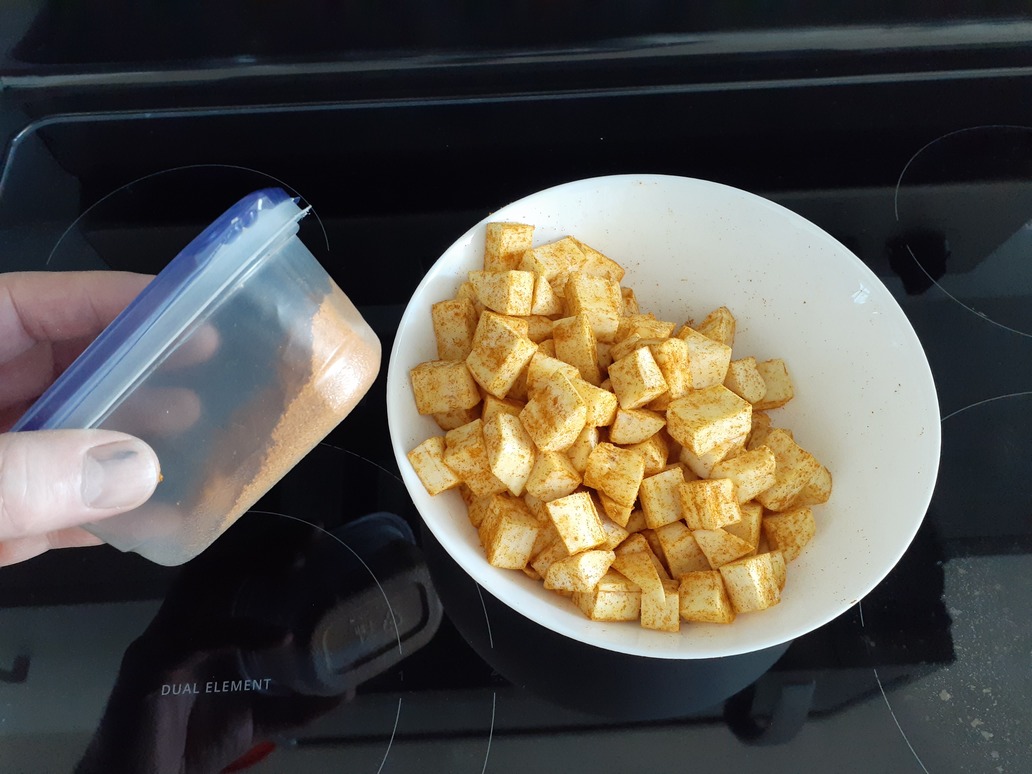
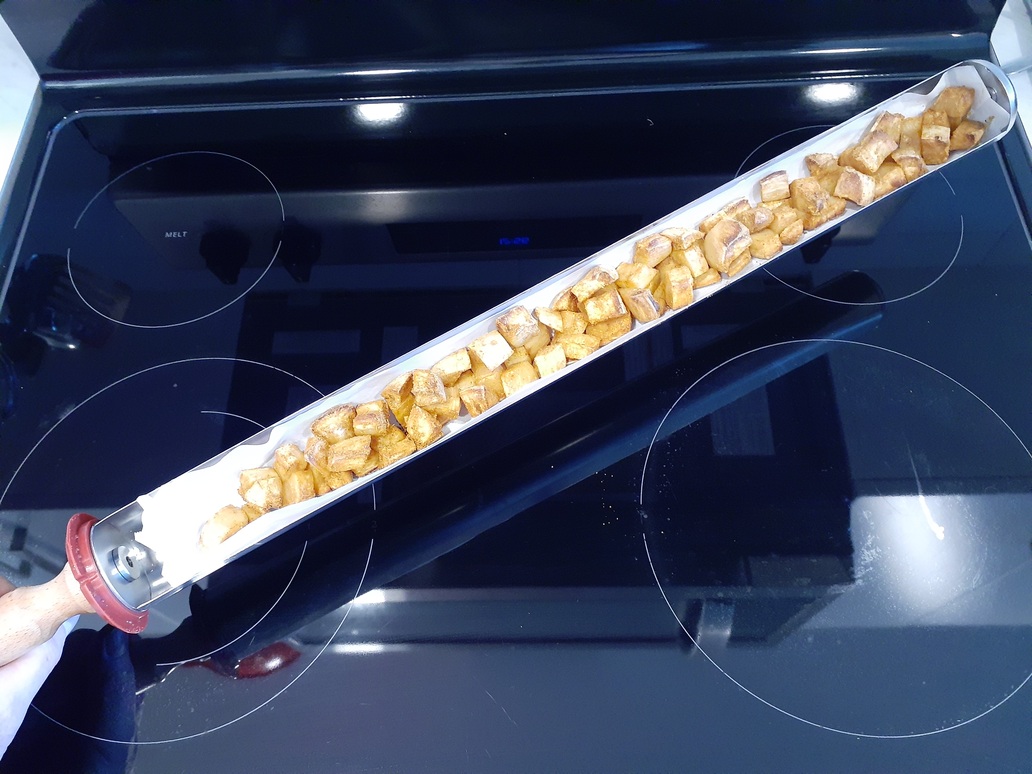
My instructions were to peel the two sweet potatoes, dice them up, coat them with the stuff in the little container in the spice cupboard, and put them in the GoSun. I hoped this was the right container.
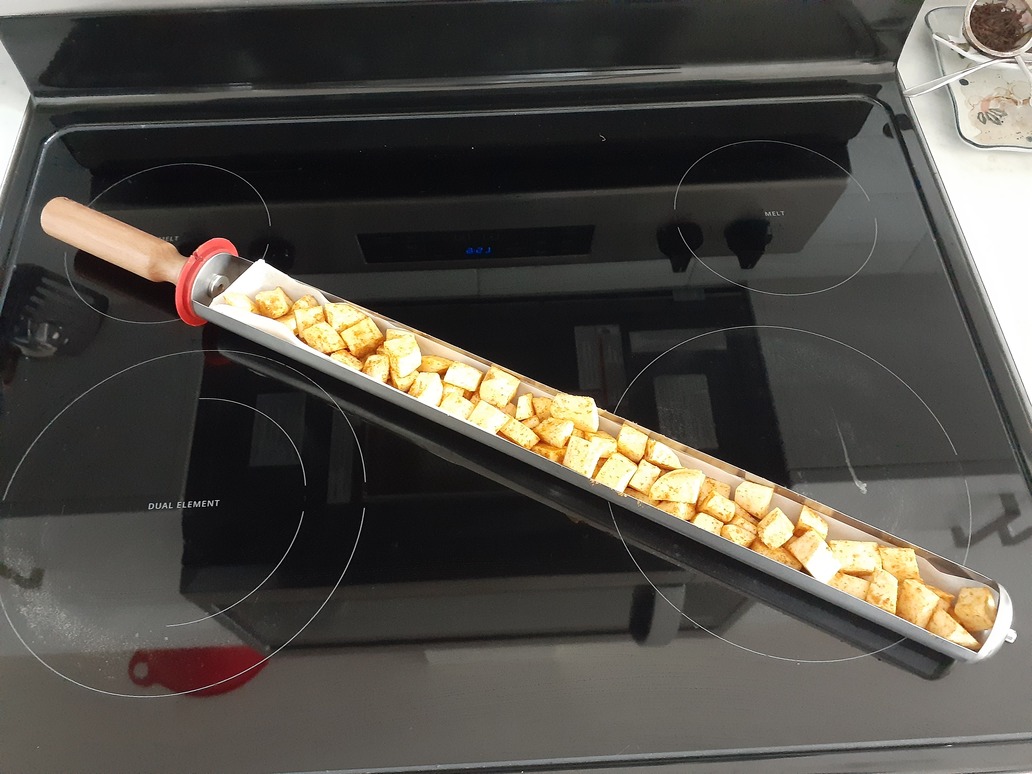
Here it is ready to go. (A bit more than one good sized sweet potato in the tray. The rest had to wait.)
Popped it into the GoSun, and we went to the Village Classic Car Show and Chilliwack Farmers Market!
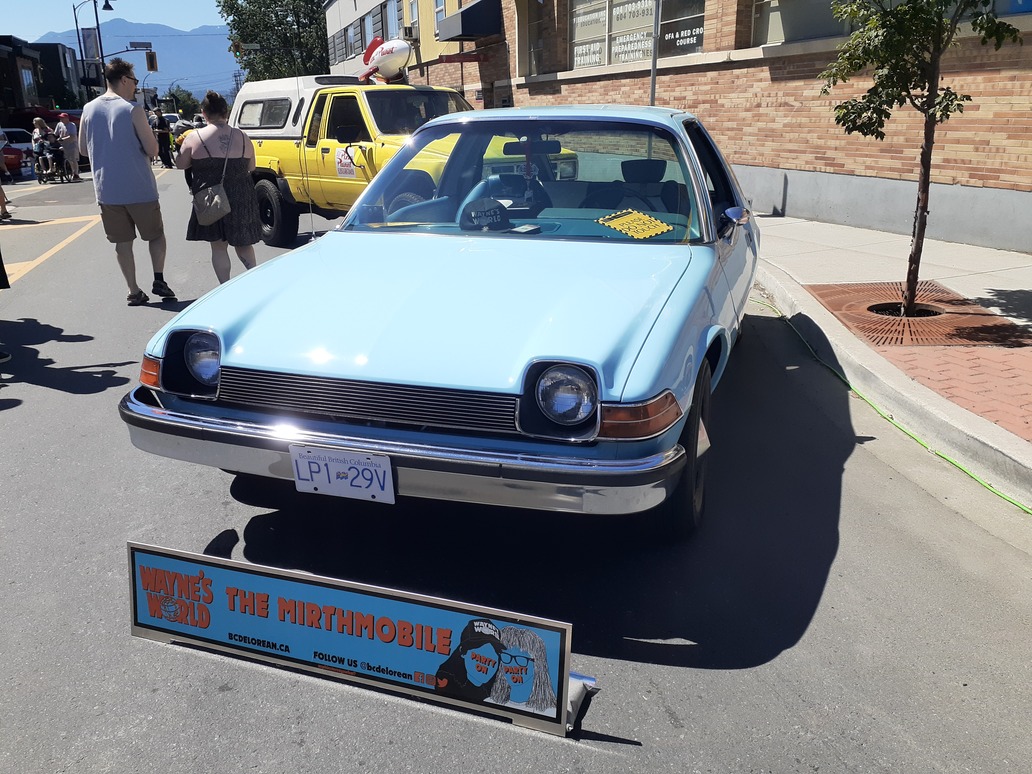
I was tickled to see an AMC Pacer at the car show! My parents had a red one when I was a teen with a drivers licence and no sense of mortality. It was a hideous car. Heavy, under powered, brakes that would fade, suspension that wallowed in the corners. Mind you, it was probably fine when mom drove it, because she would drive like a mom. A responsible mom. I thought it was just the worst. But still have kind of a fondness for them. If I had money to waste I’d like to get one and paint it to look like a frog.
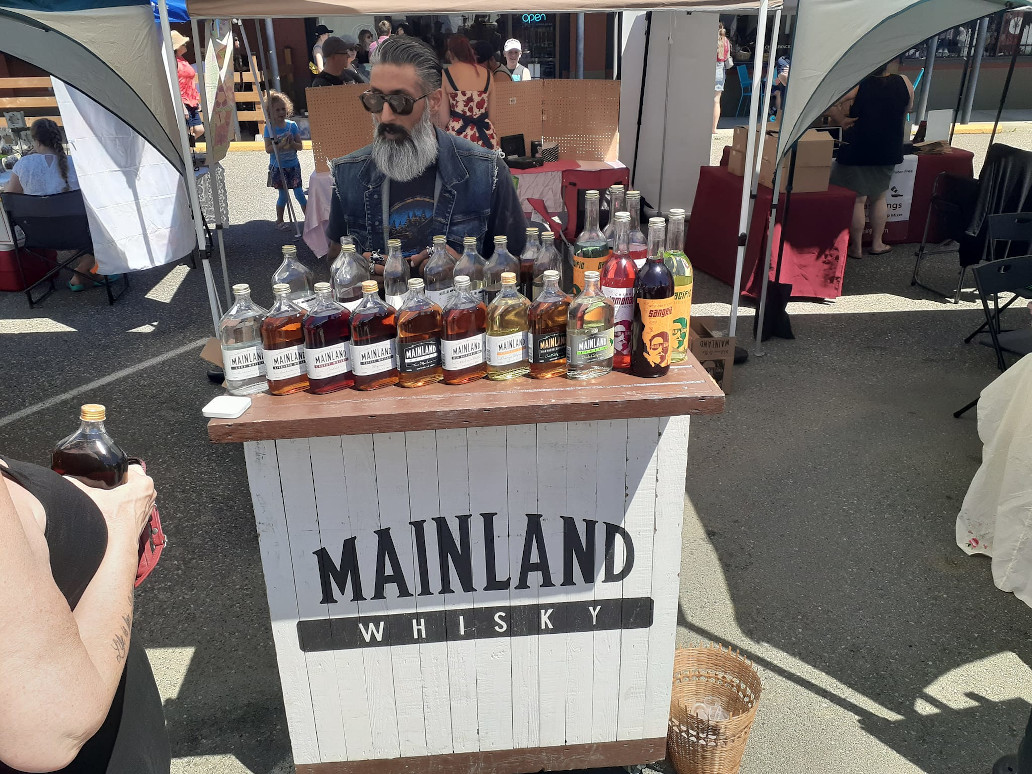
The car show was great and so was the Farmers Market. Special treat today was the Mainland Whisky booth giving out samples. So good! And just the thing on an empty stomach. 😀
Tried the Time Machine and the Coffee Whisky. It was a tough choice. Time Machine was super interesting and really good, but I bought a bottle of the sweeter Coffee Whisky before wobbling off to see the rest of the market.
Loaded up with a market bag full of fresh veggies, we headed back to the sweet potatoes in the GoSun.
We’d been out for hours, bypassed the long line ups at the food trucks, and came home hungry to enjoy a beautifully cooked treat!
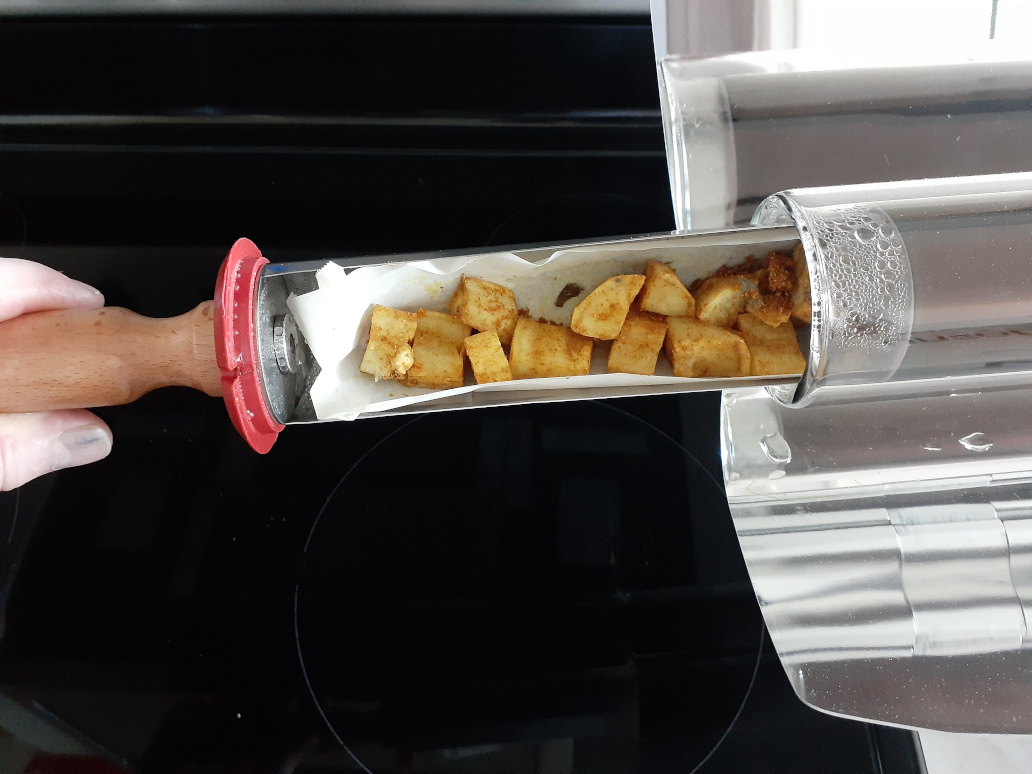
No burnt! Some were just a bit crisp on the outside, but pleasantly so. You’d think it was cooked by someone who knew what they were doing, rather than being just stuck in an oven and forgotten for hours.
Googling sweet potato and yam recipes for the GoSun Sport it looks like people generally cook them 35 minutes, so we could have eaten these hours before we did, had we happened to come home earlier. But either way, it doesn’t matter! The GoSun doesn’t doesn’t burn food and doesn’t waste energy!
With just a little time left before our balcony would be in shade, we threw another tray of sweet potato into the GoSun. Regretting now that I didn’t time it, but it couldn’t have been much more than half an hour before the balcony was in full shade and I brought the GoSun in. It’ll hold heat a long time so I was going to just let it sit while the residual heat continued to cook. But waiting was overruled so we pulled the tray out right away. Once again, delicious, beautifully cooked sweet potato!
This batch didn’t have that bit of crispness the first batch had and that I quite liked. But they’re thoroughly cooked and very tasty!
The GoSun website says 2 to 3 meals per load for this unit. As we were preparing these today I joked that you can see why the guy in the GoSun commercials looks pretty lean. If you like bigger portions you might want to go with the larger GoSun Fusion. Definitely if you regularly cook for more than two. But for ease of carrying around, and the fact that the Sport cooks faster than the Fusion, I think we made the right choice for us with this one. Down the road maybe we’ll get another one? Or a Fusion, to have more solar cooking capacity if we had guests or wanted leftovers for the next day.
But for now I’d call today’s cooking adventure a success, and I’m really happy on this first day of our first heatwave of the year to be able to cook without the heat of the stove or oven indoors!
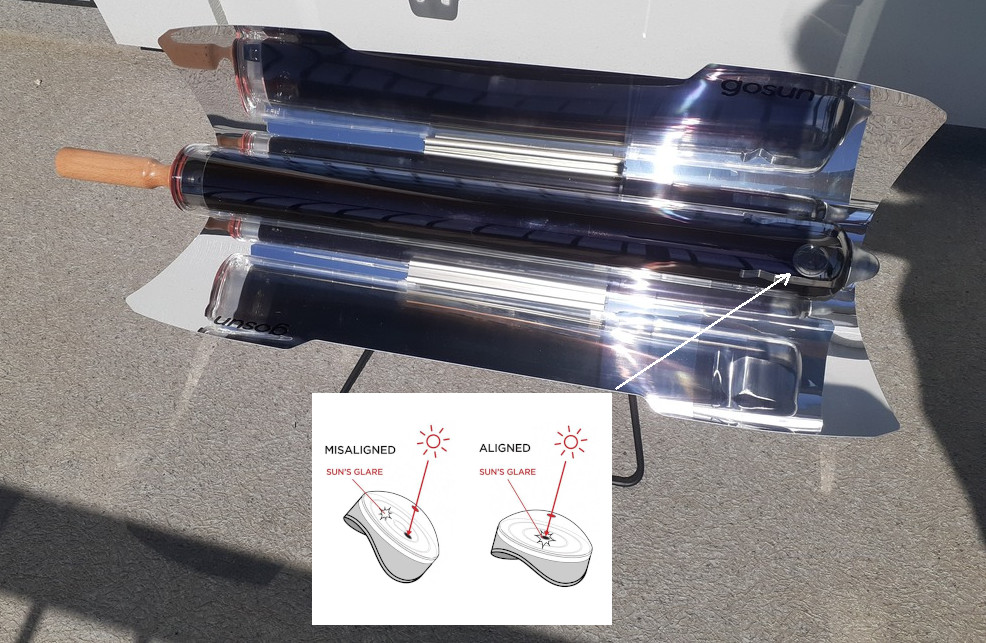
Based on size, price, and that it came with two cooking trays and a “kettle” for boiling water, we picked the GoSun Sport Pro. It also came with a really deluxe case and ten little silicone baking cups.
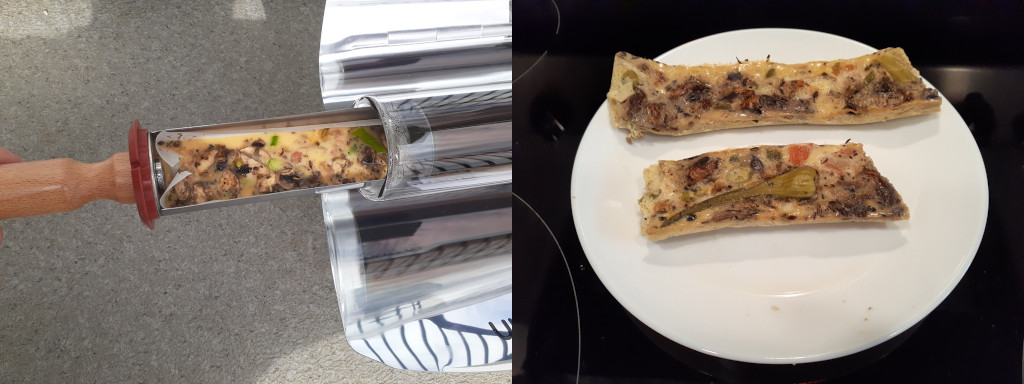
First attempt to cook with it was a quick egg dish just to try it out. We lined the cooking tray with parchment paper to keep the cooking tray clean. Probably fussed too much setting the oven up on our balcony and worrying about whether we had the angle right. The first attempt turned out like this.
Not exactly appetizing to look at, but cooked.
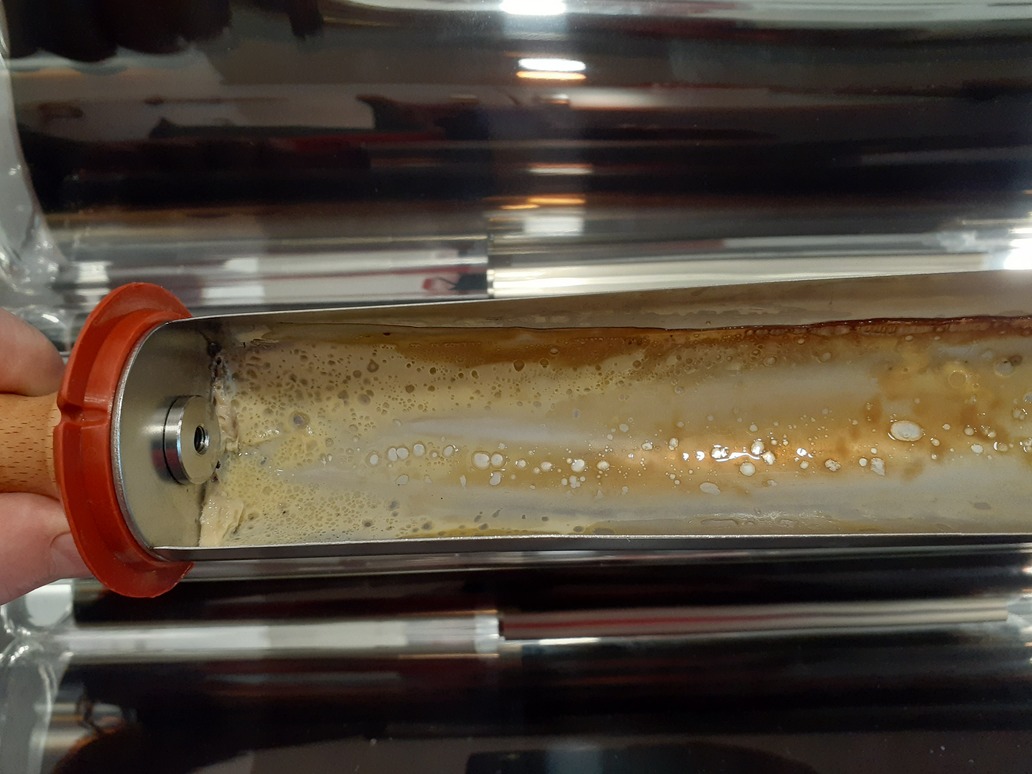
Unfortunately we hadn’t quite got the end of the parchment paper right and egg leaked underneath. There are instructions for using GoSun’s parchment liners. The same instructions work with your own parchment paper of course, but we’d cut ours a bit short so were actually expecting some leakage. Cleaning the cooking tray was a bit of a chore.
Try Two!
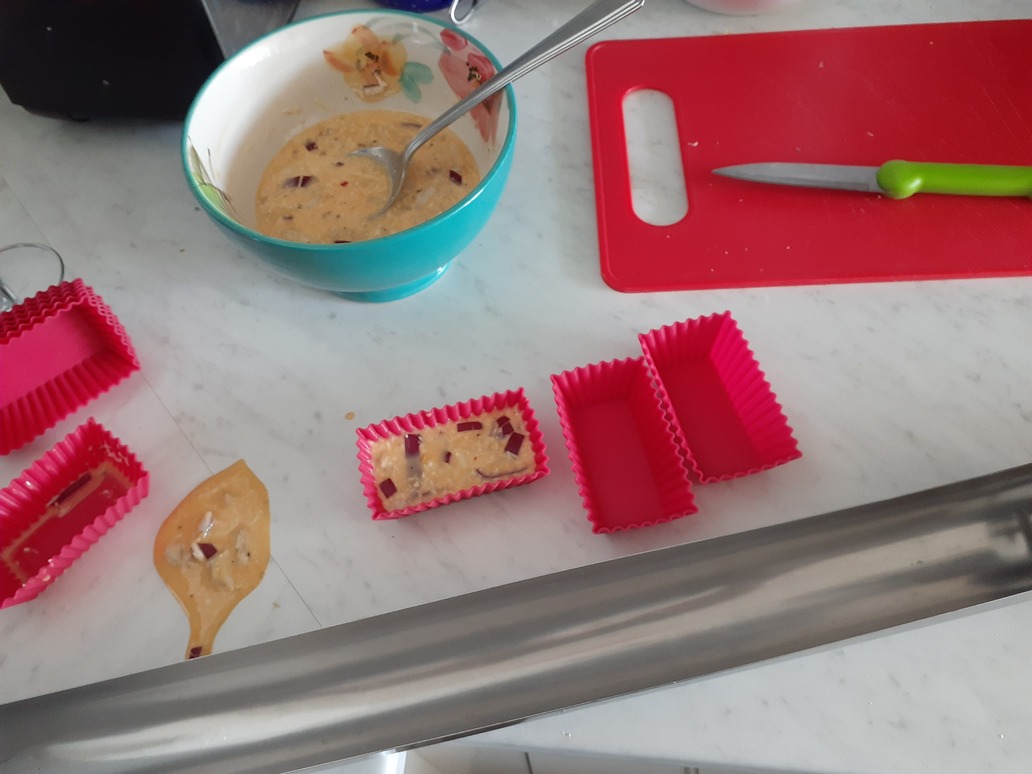
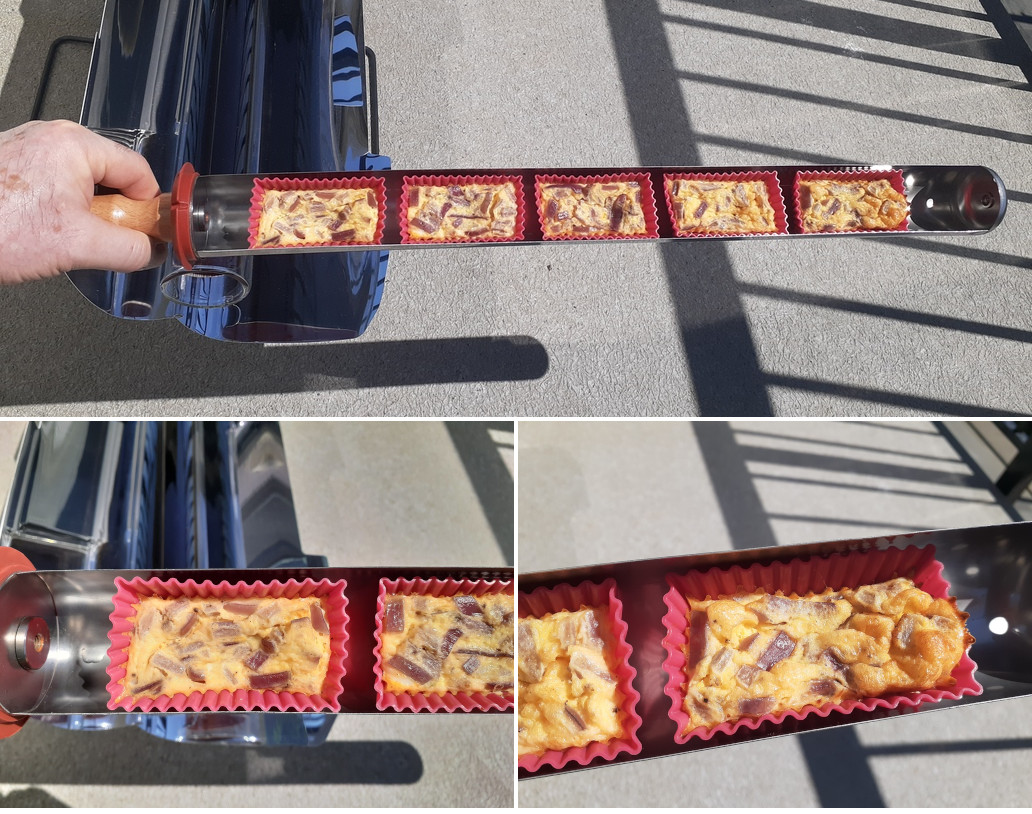
The sun is inviting me to try again. I’m not getting creative because our kitchen is fairly depleted today, so it’s eggs for try two. This time with diced red onion, grated asiago cheese, and fresh ground black pepper. Stirred it up in a bowl with just a splash of milk. Going to try the little silicone baking cups this time.
Scooped a couple of large spoonfuls into one of the silicone cups, and promptly spilled about half when I picked the cup up. These things are pretty floppy!
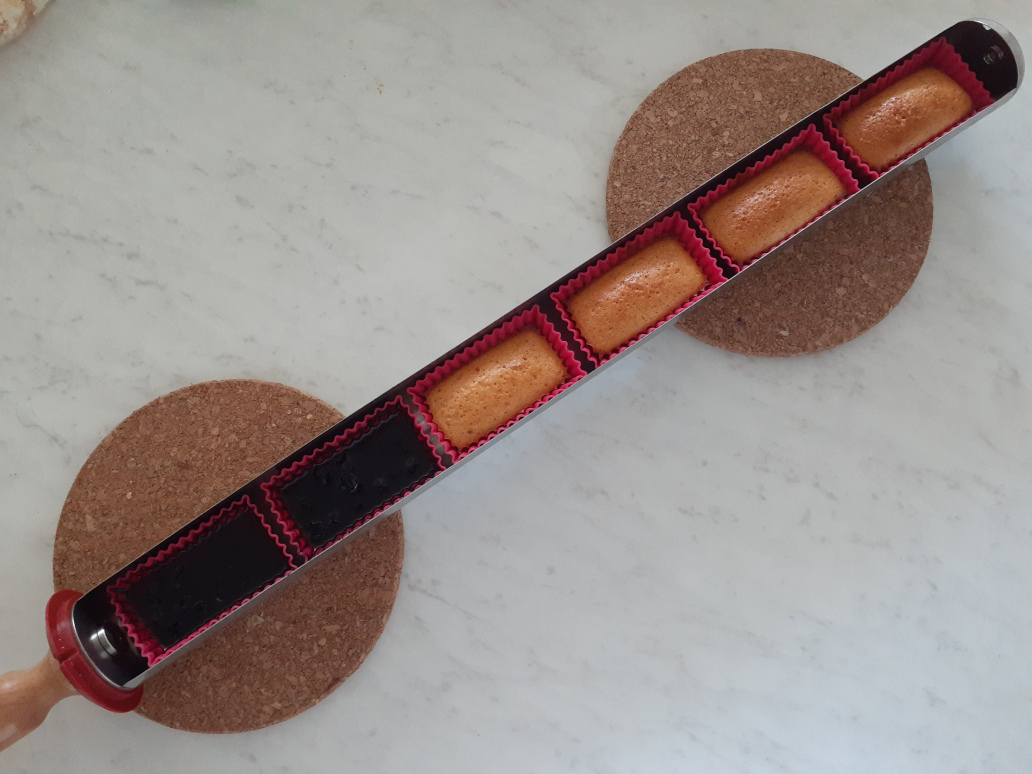
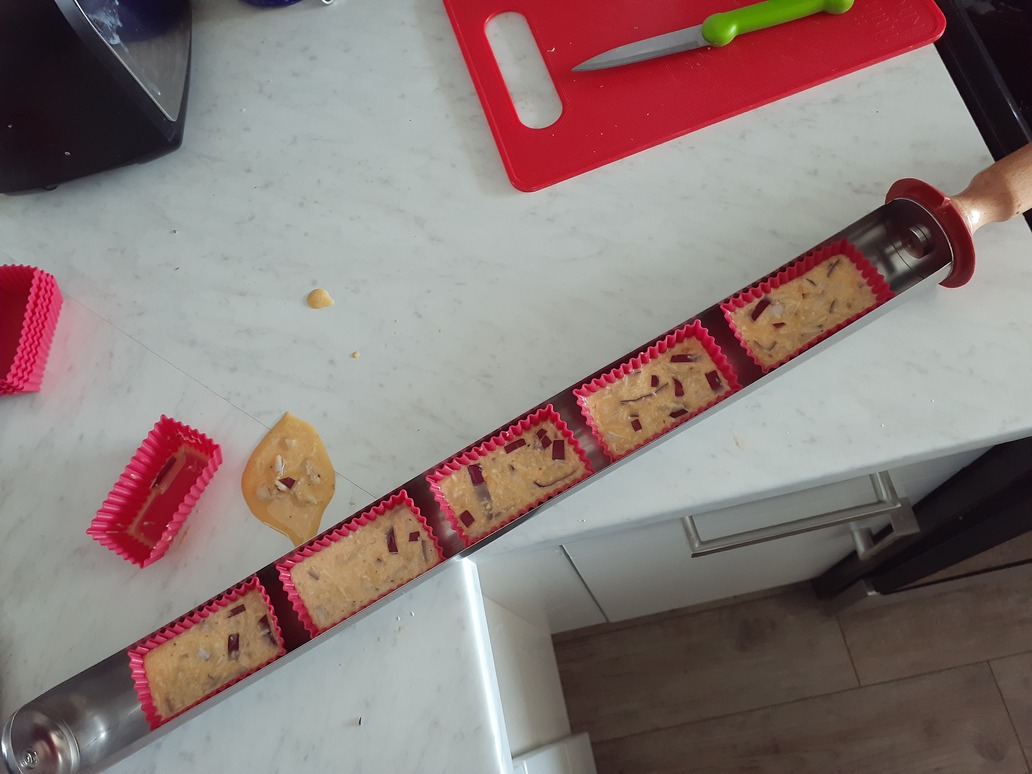
Just a bit more care though, and in a moment there were five little cups lined up in the cooking tray. I left some space between them thinking the air space might help speed cooking.
One thing I forgot to pay attention to was the location of the little vent near the handle of the cooking tray. The end piece on the cooking tray rotates until held in place by the wooden handle being screwed in tight. The vent should be aimed up for better venting while cooking and because the other side of that piece has a flat spot so keeps the tray sitting stable and upright on your work surface. I realized it was off this time as soon as I’d put the first silicone cup in, so removed the cup and adjusted.
The GoSun Pro comes with an alignment tool attached from the factory. I looked at the instructions for that tool on GoSun’s website and this time it clicked how you’re supposed to use it. I felt a bit silly for how much I’d fussed over aligning the oven to the sun on our first attempt. The alignment tool makes it a snap! (Might have also helped that we had full sun this time. It was mixed sun/cloud the day we did our first try.)
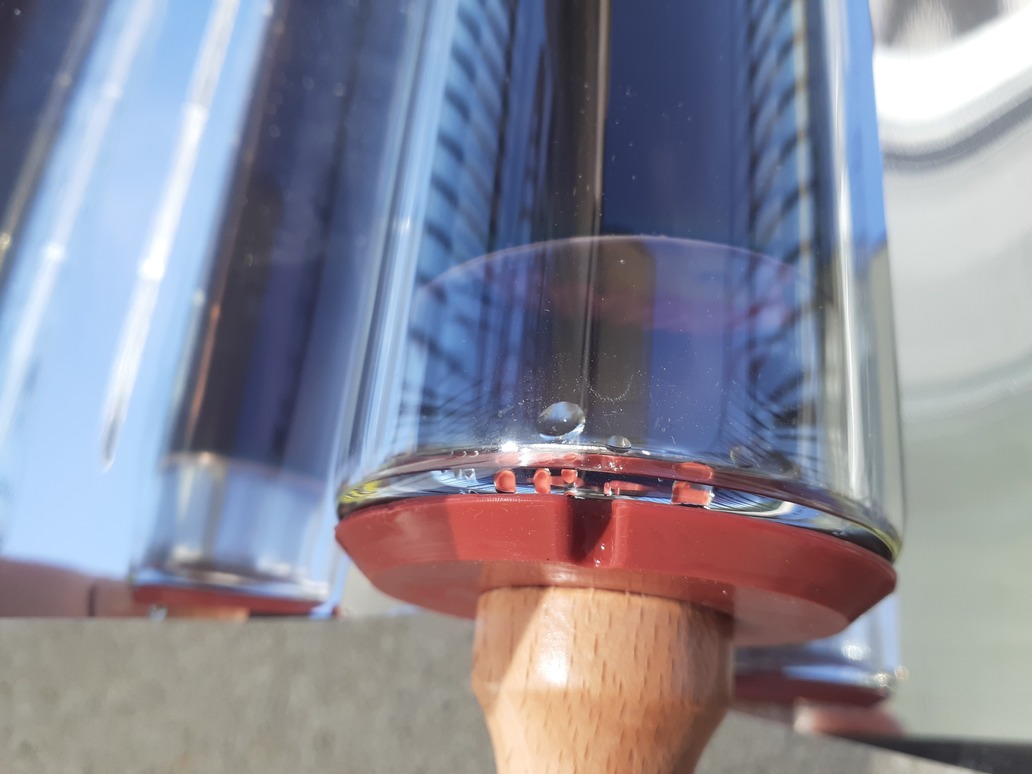
I set a timer for half an hour based on thinking I remembered reading somewhere that half an hour was suitable for eggs. Looking a few minutes after the timer timed out, there was steam coming out the oven’s vent and condensation visible.
Pulled the cooking tube out, the eggs looked ready and so was I. Lunch time!
The cups seemed to cook a little more the further they were away from the vent, just as GoSun’s instructions said would be the case. But it was all cooked and hot.
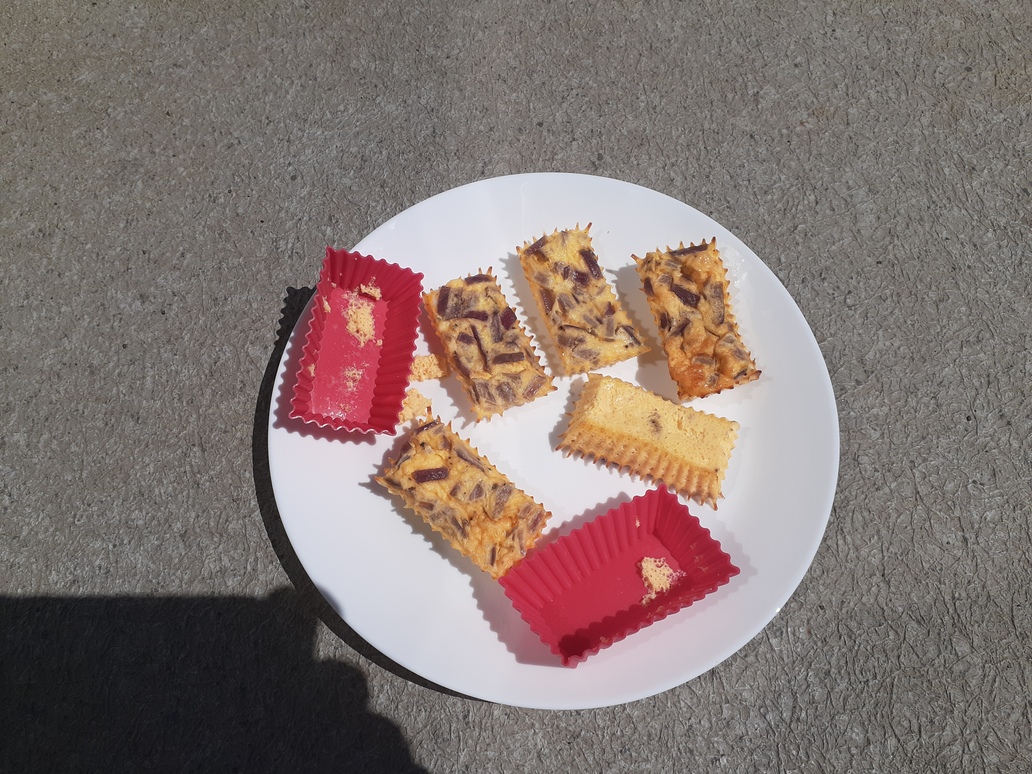
The eggs came out of the silicone cups easily, though not entirely cleanly. Even though I’d fiddled around taking pictures (most of which were discarded), the cups were still hot to touch as I used a finger to wipe out the bit of egg that stuck. Do supervise young children when using a GoSun oven.
How was it? Well, about as good as the ingredients that went in. On the first one I though maybe I detected just a bit of flavour from the silicone cup. On the second one I thought maybe I’d only imagined that. They were bland, so after the second one I added a drop or two of sriracha to each. Just what was needed!
The silicone cups are in the dishwasher now, and the cooking tray didn’t need cleaning at all, though I suppose it’s good practice to give it a wipe anyway. I’m quite pleased with try two with the GoSun Sport. Seems like the main thing that’s needed going forward is for me to learn to be a better cook, whether using the GoSun or not.
I find myself thinking about sun and water lately. About the duality of these things in a time of rapid climate change.
The sun is the source of heat that’s baking the planet as a result of our fossil fuel emissions tipping atmospheric chemistry out of the safe zone. The sun is also a source of clean energy to replace fossil fuels, limited mainly by our choices on the pace we develop and deploy the technology to use it.
Water, either in deficit or in excess, may be linked to most human suffering from climate change. Water is also, as is often said, ‘life’. With clean flowing water comes health and abundance, and another source of energy to replace fossil fuels if used right. (imo Site C is not right)
The technology to use the sun is not only solar photovoltaics to produce electricity. It’s also design of communities, buildings, agricultural spaces and greenspace to make use of the sun when and where it’s wanted and shade from it when and where it’s not. Not that we design or build that way, usually. But we know how. We could.
Many years ago on TV I saw two men in a high mountain place that if I was to guess I’d say might have been in Mongolia, making tea with a kettle suspended over a metal reflector. I don’t remember anything else about the show, but that scene stuck with me. Why isn’t that sort of use of the sun ubiquitous around the world? Especially with high tech products like those from GoSun available.
Does the thought of going out on your deck or into your yard to boil water for coffee or cook a meal in a solar cooker seem odd? Yet for many the thought of going outside to use a barbeque carries feelings of joy. (Thinking in a mainstream Canadian context.)
Sure, a passive solar appliance won’t work all the time. But having one doesn’t mean you can’t also have an electric appliance, just as people probably still have some kind of cooking range in the house even if they love to barbeque outside. And speaking of barbeques, the apartment building where I live doesn’t allow them. Due to fire hazard, maybe? I could have a solar oven though. And after occasional mentions over the years being met with a bit of resistance from my partner (priorities, not opposition), there’s a hint a solar oven may be coming to our home soon. If so, I’ll write about my experiences with it.
Meanwhile I’ll be here wishing we could put shades on the outside of our windows to reduce the energy we waste air conditioning this place. Alas, it’s a rental and we’re not allowed to attach anything to it or renovate things. The quality of insulation, windows, and building envelope sealing — to code, so poor — are energy decisions we’re stuck with for now.
From its first version filed March 31, 2017 to the current version filed October 29, 2021, Trans Mountain’s expansion project watercrossing inventory has said that Browne Creek is “Seasonal off-channel rearing/wintering habitat for juvenile CO and potentially SSU; connectivity to Hopedale Slough (approx. 500 m DS), although watercourse may be dry or intermittent during summer months”.
I was pretty sure that from the Trans Mountain crossing to where Browne Creek flows into Hopedale Slough is less than 500 metres. A lot less. But it’s damn near impassible between those points.
Today, April 2, 2022, while thinking more about what to say to the Canada Energy Regulator that might result in some protection for Browne Creek and the floodplain area it flows through, that “500 m DS” bit finally crossed some mental tipping point. I finally had to measure.
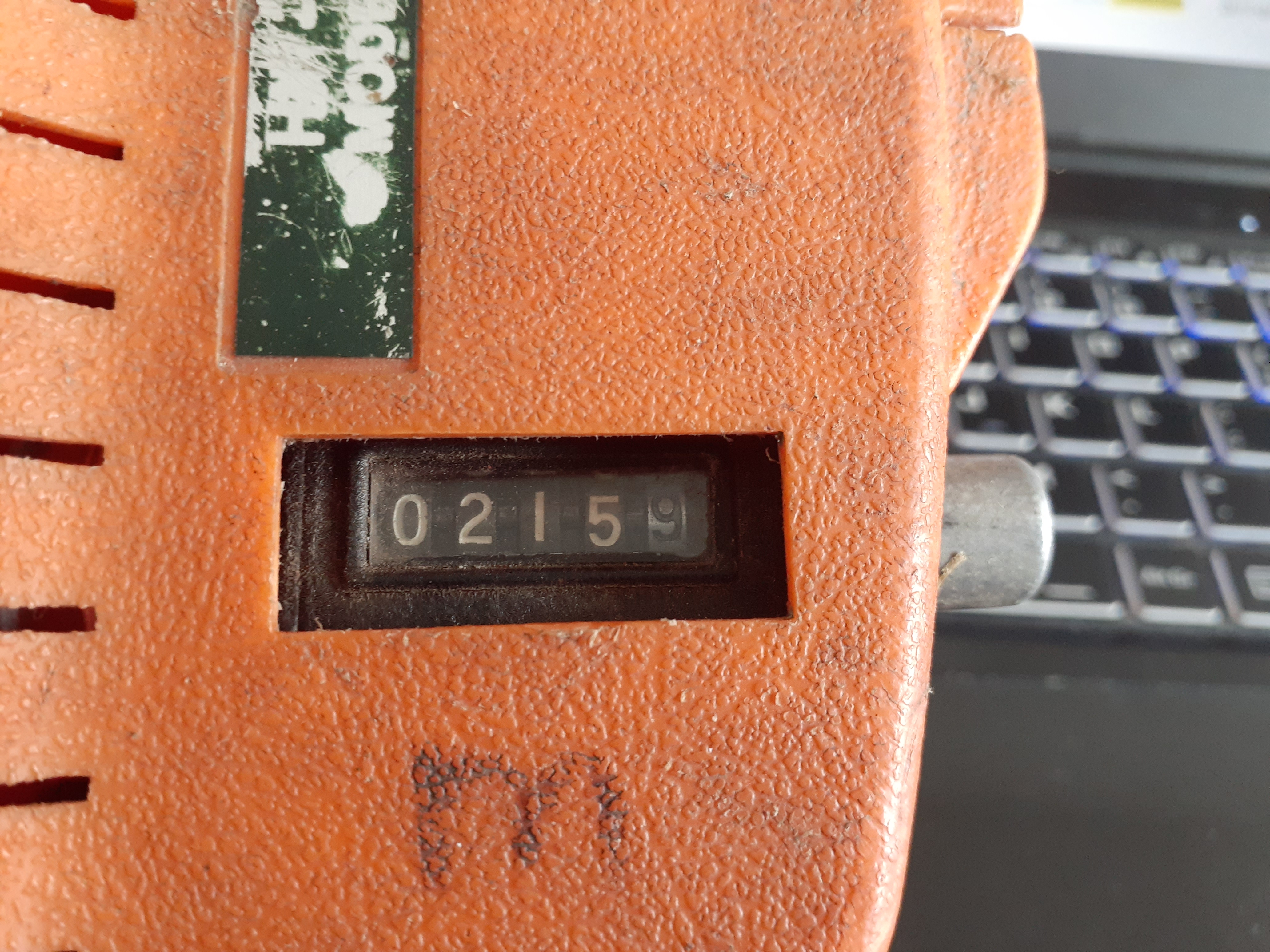
Did I mention it’s damn near impassible? Measuring with Dad’s hip chain (thanks Dad!) took about an hour per hundred metres. The result?
Should have thought to take this picture in the field for nicer background. Oh well.
Why does it matter?
It matters because;
Salish sucker are a threatened species under the Species At Risk Act (SARA);
Hopedale Slough is identified critical habitat in the federal Recovery Strategy for the Salish Sucker (Catostomus sp. cf. catostomus) in Canada;
Browne Creek certainly won’t be dry or intermittent during the summer months when Trans Mountain plan to cross it;
they want to take an excavator in there and dig a trench right across Browne Creek a couple metres deep and wide enough to put a 36 inch oil pipeline in;
they’ll take out numerous large, mature trees from the riparian area of Browne Creek to do it. Trees that will never grow back because it will be a pipeline right-of-way, and;
there are ponds under those trees that drain into Browne Creek.
It’s notable that Salish sucker are SARA listed and not ‘just’ listed under the Committee on the Status of Endangered Wildlife in Canada (COSEWIC). Species get recommended by scientists under COSEWIC. From there the decision whether to list them under SARA is up to politicians, and politicians seem to be exceedingly reluctant to list species under SARA. To do so can have economic repercussions when a SARA listed species gets between an excavator or a chainsaw and money. So for Salish Sucker to be SARA listed means they (or rather the people working to protect them) somehow beat the politics.
Salish sucker have been found to keep to fairly small home ranges. 500 metres like Trans Mountain’s watercrossing inventory says, they probably don’t go up that far if we consider the home range to start at Hopedale Slough. 215 metres like I measured today, they certainly might.
From the recovery strategy for Salish sucker, “Salish Sucker are among the most sensitive fish species to loss of wooded riparian areas”. There are a variety of reasons riparian areas are important to Salish sucker (and other fish). Among them, shade to keep water temperatures favourable (especially as climate warms), reduced erosion and siltation, habitat for macroinvertebrates that fish feed on, and organic matter for macroinvertebrates to feed on. The trees Trans Mountain plan to remove are the first real riparian growth after upstream parts of Browne Creek flow through agricultural fields with essentially no natural riparian vegetation.
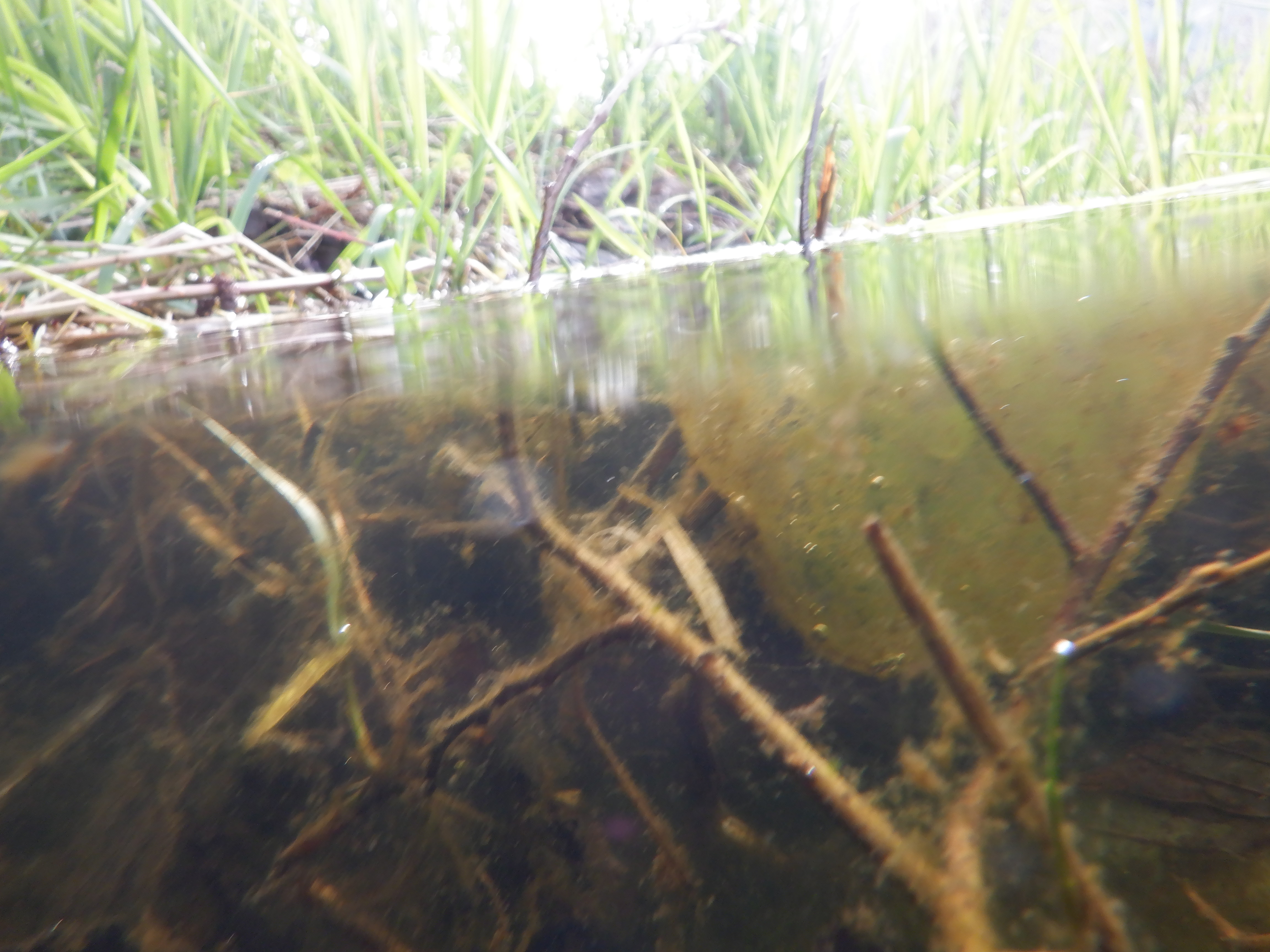
Some trees Trans Mountain will remove, and pond below. GoPro on my walking stick for scale. (Stick + GoPro = just under 1.5 m or 5 ft) I assume the blue numbers on the trees, like above my GoPro, were put there by Trans Mountain.
The recovery strategy for Salish sucker identifies seven threats to Salish sucker. Among those seven are;
hypoxia, low oxygen as happens in water that lacks shade and gets too warm;
harmful substances, like might be introduced by machinery, and;
sediment deposition, like might occur when machines are working in and around a stream.
Excessively high turbidity is also a threat to fish, sort of like air pollution to humans. But turbidity in a stream can be a lot more immediately harmful than any air pollution you might typically imagine. Turbidity from the excavation, or any contaminants that might get into Browne Creek, will flow to Hopedale Slough. And Hopedale Slough is a lot closer to the construction site than Trans Mountain’s Condition 43 watercourse crossing inventory says it is.
A few photos from this morning follow.
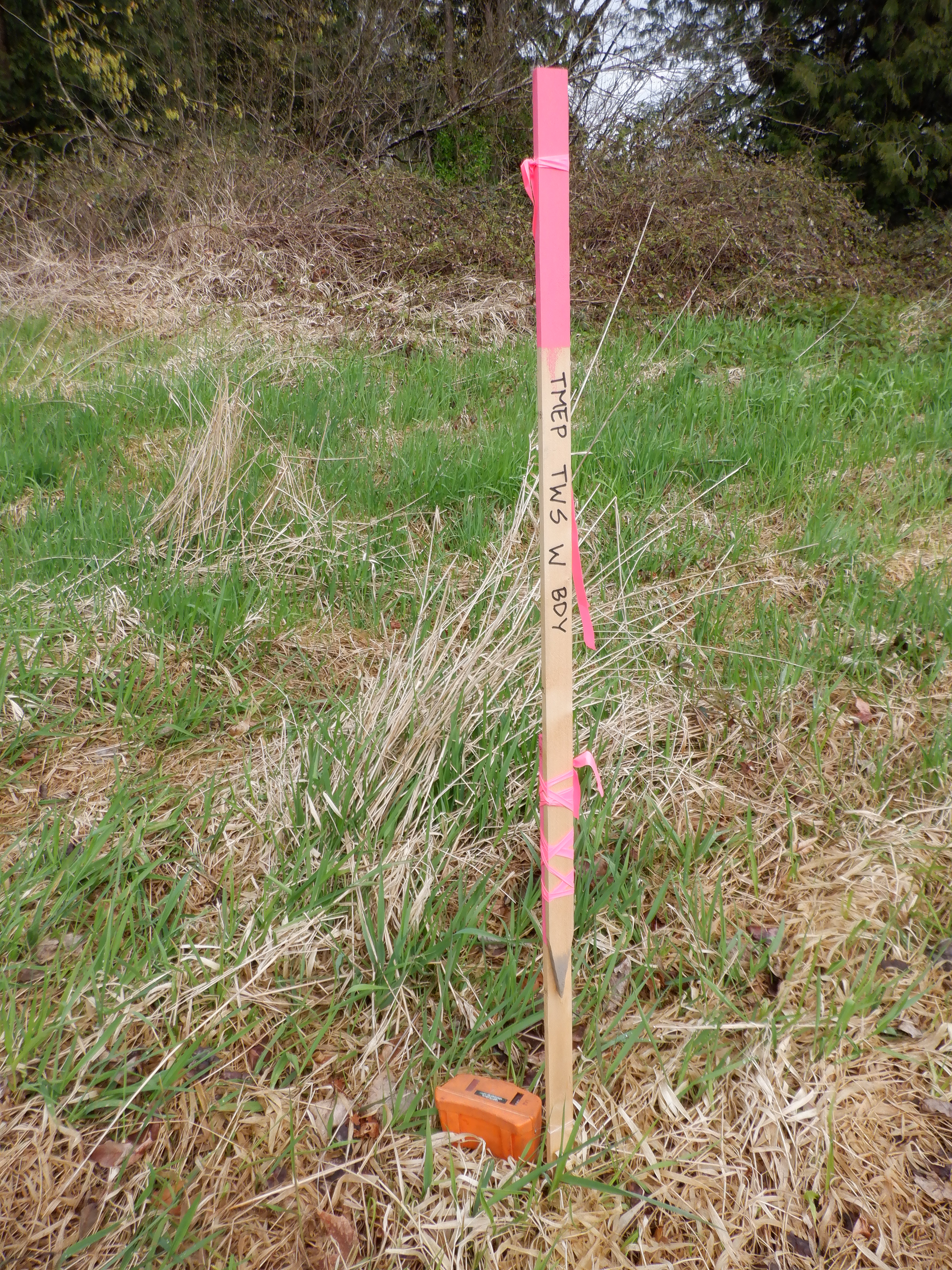
I started at the Trans Mountain right-of-way. They’ve recently marked out the whole area with stakes and flagging and signs. After crossing an old beaver dam to get to the creek’s right side, I zeroed my hipchain at a stake that indicates the west boundary of the Trans Mountain Expansion Project (TMEP) temporary work space.
—
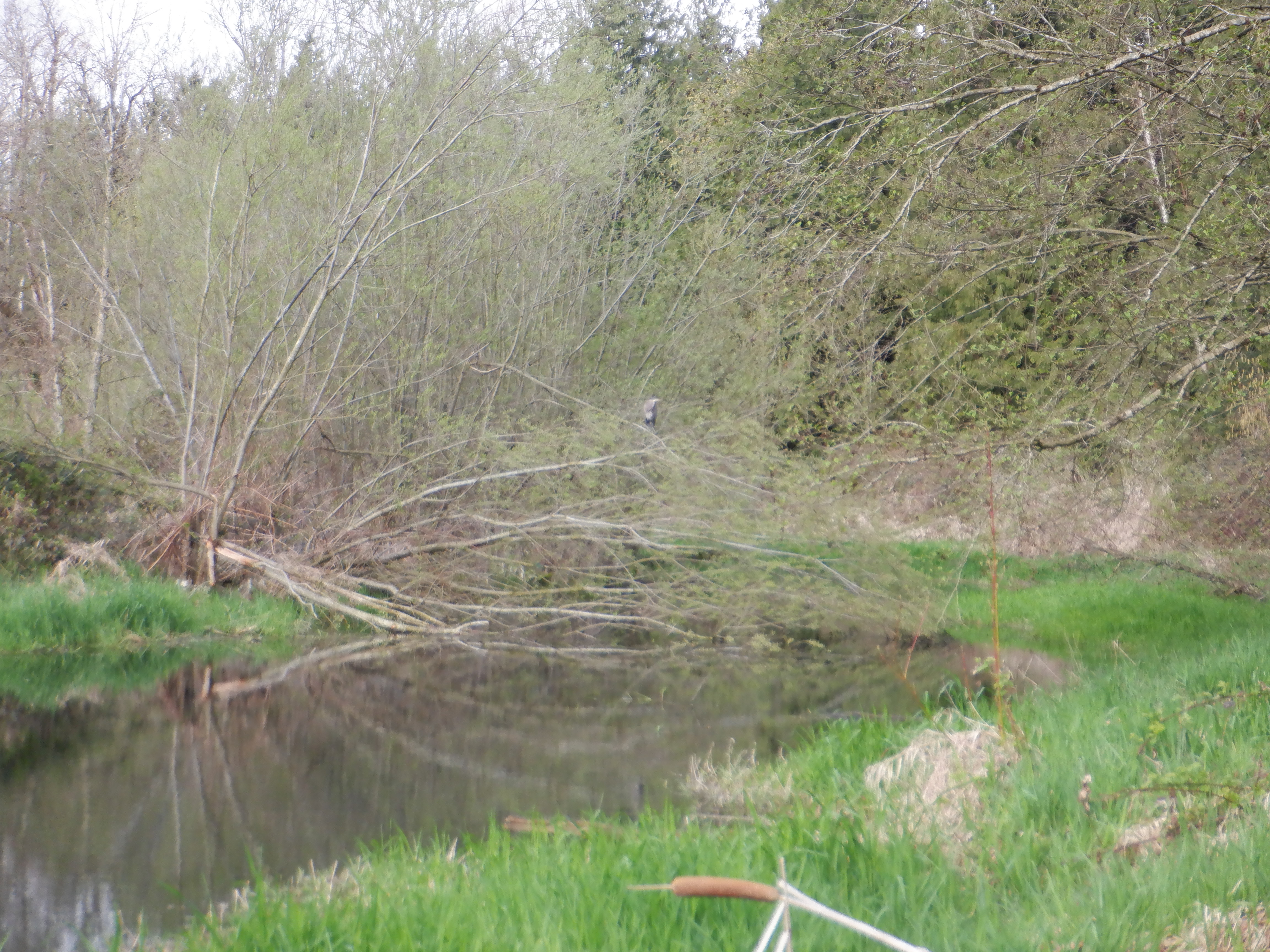
Three Great Blue Herons and a couple of mallards were here, a short distance downstream of the pipeline right-of-way. Saw only this one until they all flew. Sorry the picture is shaky, I was wobbling on poor footing at the time. Later, as I was leaving, there was a heron in a tree upstream of the pipeline too.
—
Of course there were salamander egg masses, though I wasn’t taking time to look for them (in fact trying to avoid any places they might be).
—
Much of the way was a struggle around, over and under dense blackberry bushes. At one section I was actually crawling on top of the mass of blackberry canes, spreading my weight between my lower legs (not good for the waders!), the hipchain in one hand, and my walking stick flat in the other, a metre or more above the ground.
Pictured below is a hella big fallen cedar just after I got past it. I had seen this tree from the other side while doing an amphibian egg mass survey upstream. Knowing it was there was why I didn’t try to do this using my paddleboard today.
—
Upstream of that cedar tree there was a beaver lodge on the left bank. Downstream of the cedar was this beaver lodge on the right bank. And past that another fallen cedar to get by.
—
There were lots of signs of beavers everywhere. Besides the old dam upstream and the two lodges, there were chewed branches and trunks all over, little piles of mud on the bank, and places small and large like this picture below. The small ones seem obvious; “Beaver goes in and out of the water here.” There were two like this that looked like a stream coming in from that side but were not. Hard to tell from the photo, but they’re much too wide to jump. You can walk on the buoyancy of the thick grass if you’re careful and not too slow about it. (Might also help that I have size 11 feet.). They’re hip deep in the open channel part. Long time beaver path? I don’t know but it seems likely.
—
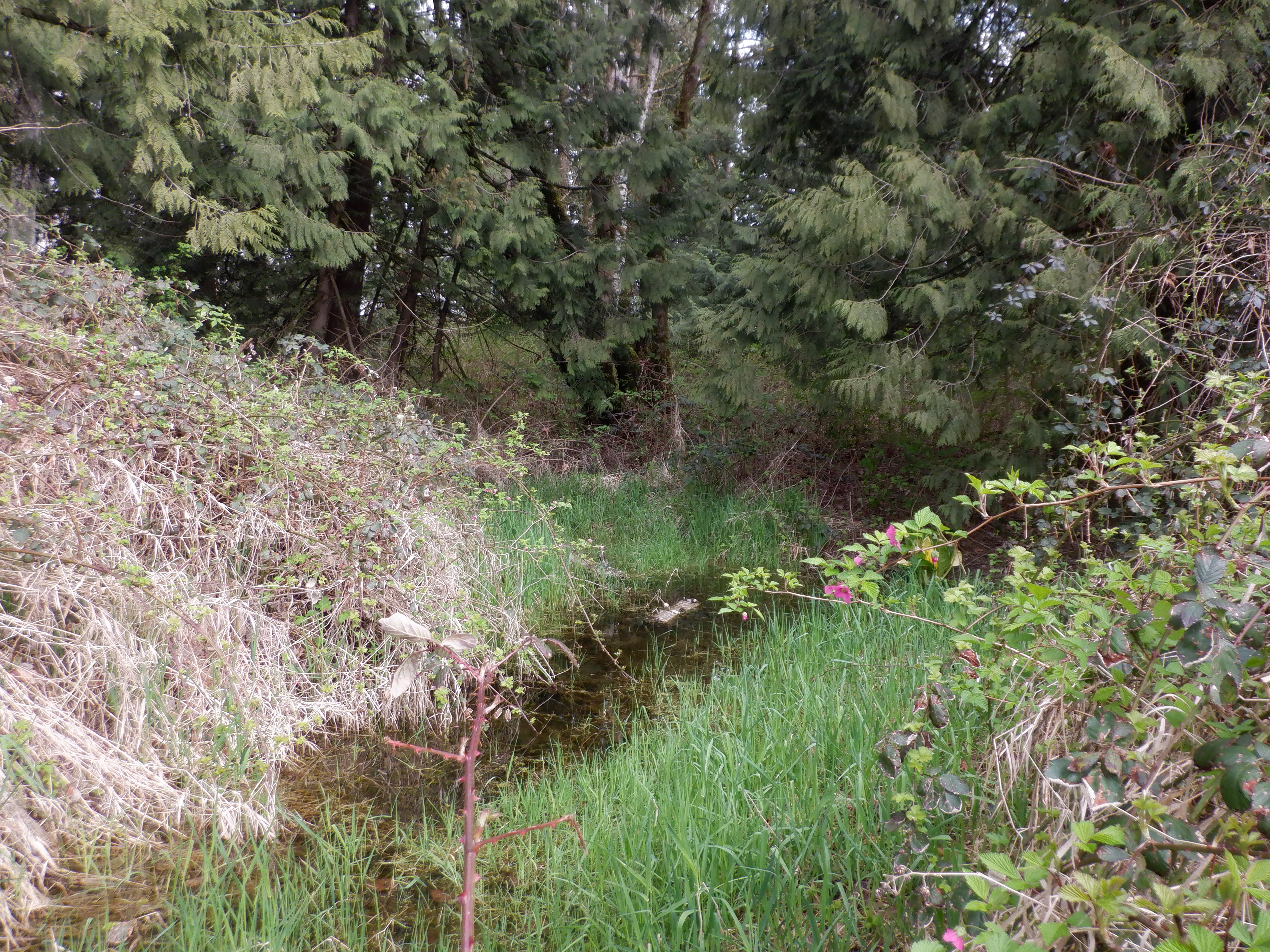
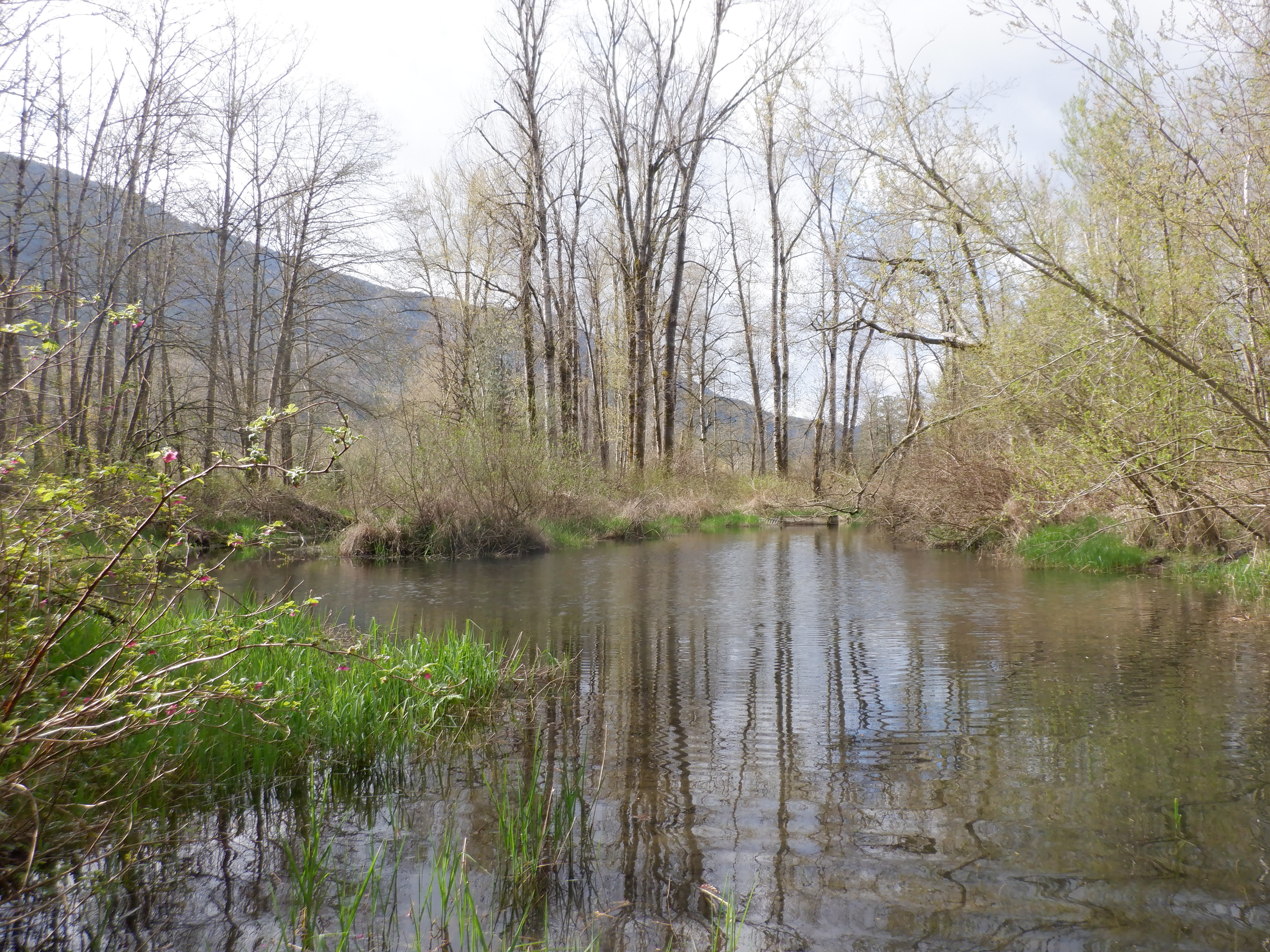
The confluence of Browne Creek and Hopedale Slough, this photo taken while standing at the edge of Hopedale Slough. I didn’t get a picture of Browne Creek here as I was looking puzzled at the beaver box that looks quite distant in this picture. You can see that beaver box from the other direction from Beaver Loop Trail. I’d always thought the beaver box was where Browne Creek came into Hopedale Slough. Actually, Browne Creek is very wide here and comes in from the left of the picture on the other side of that little point of grass. After hiking around to get to the beaver box I found that it’s actually a small stream flowing out of, not into, Hopedale Slough. (And yes, as I wrote this it finally dawned on me that if it had been a place water flowed into Hopedale Slough there wouldn’t be a beaver box.)
—
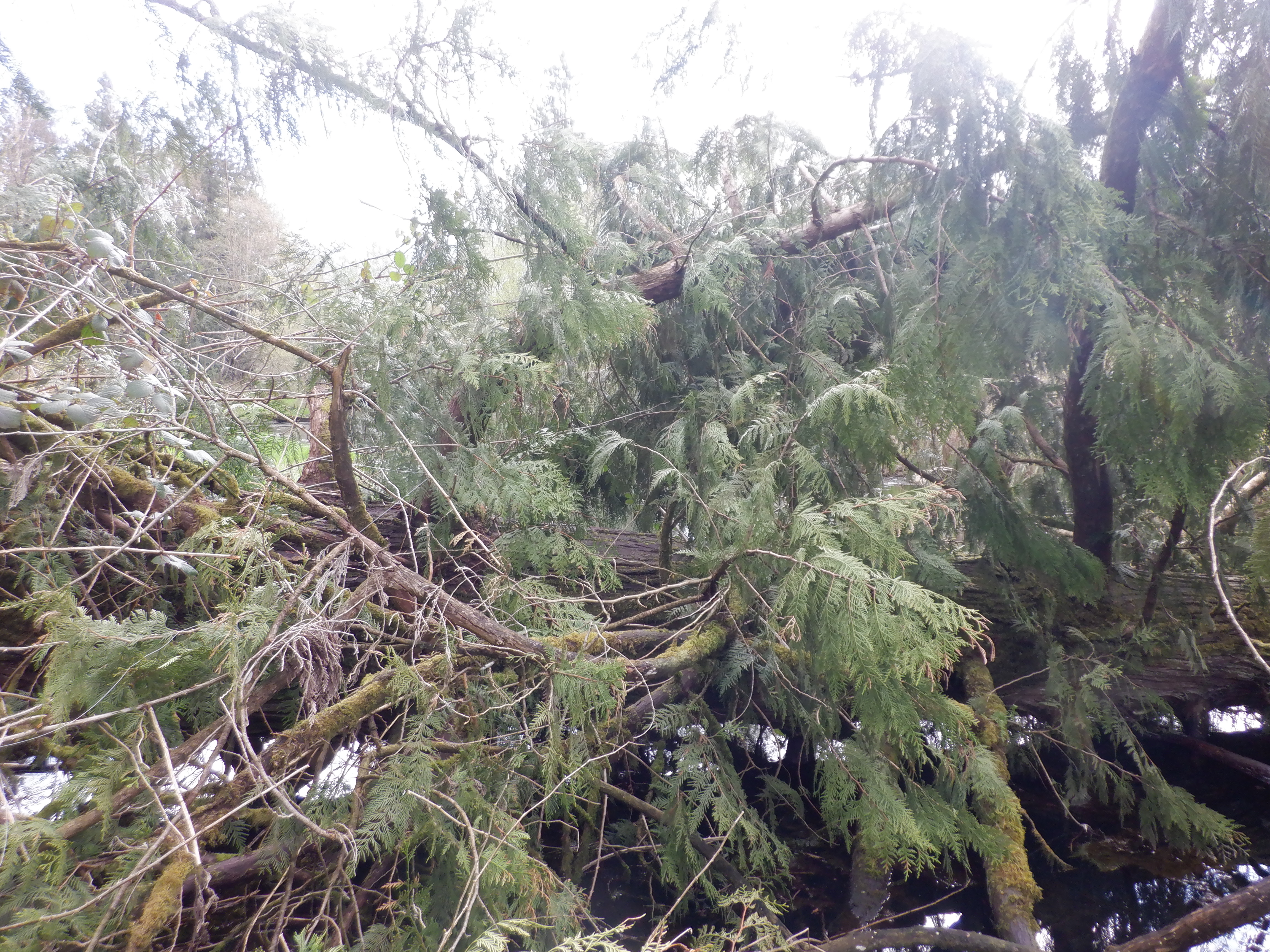
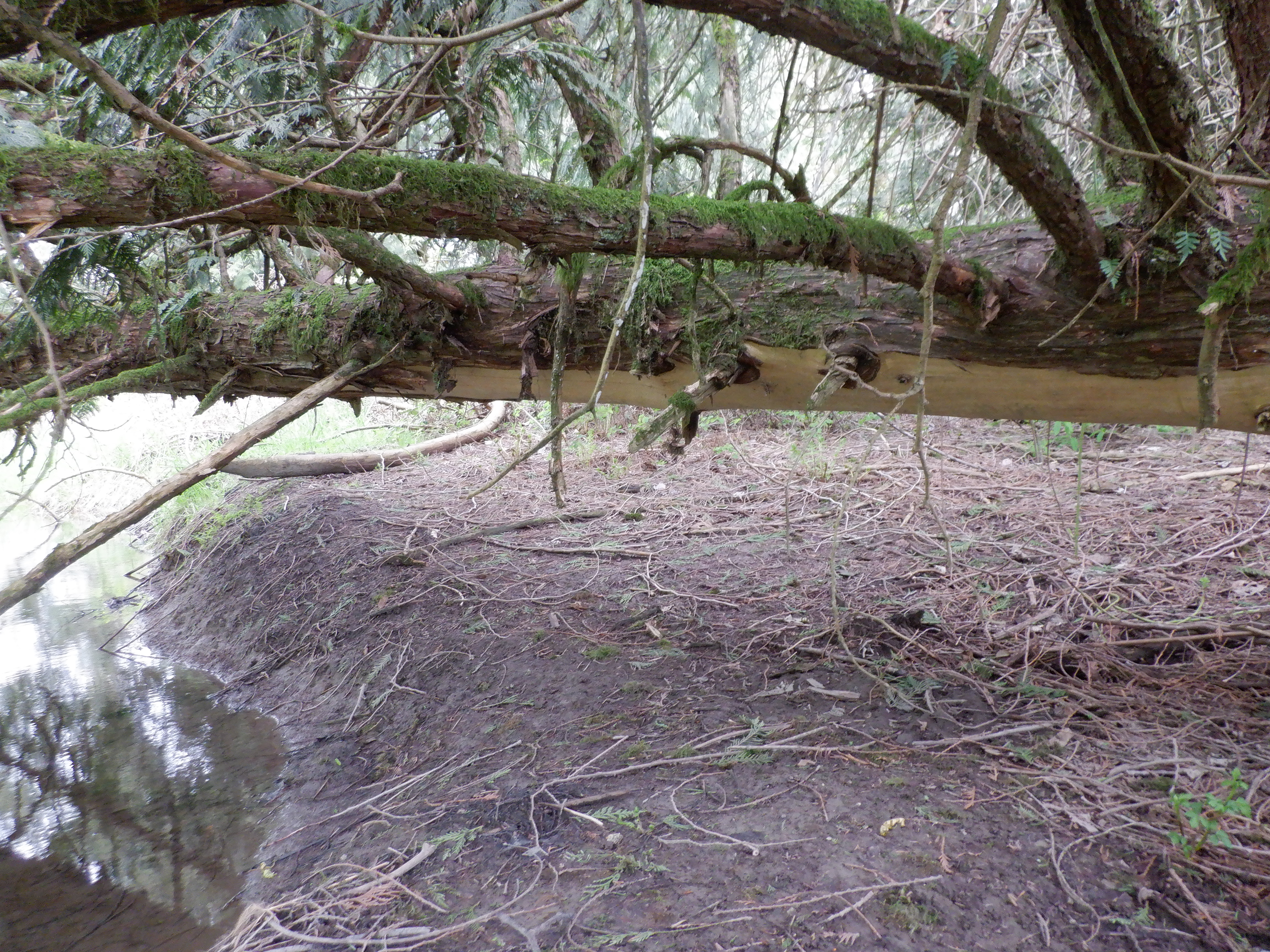
Finally, a fallen cedar tree where I’m pretty sure I dropped my reading glasses as I crawled under it on the way out. The bottom of the tree has no bark all along where it’s over the shore. I’m guessing the bark is removed up to where a beaver can reach. Gotta remember to get my glasses back next time we’re in the area for an amphibian survey.
—
So. Home now. Showered. Swampy smelling clothes in the washer. Tired legs and lots of scratches including one really painful one where a blackberry thorn got me under a finger nail. But now instead of telling the CER I think Hopedale Slough is a lot closer than Trans Mountain’s 500 m, I can tell them it’s 215 metres and I know because I measured.
If you’re interested in supporting this work, WaterWealth is crowdfunding right now with an emphasis on its climate-focused watershed monitoring program. tinyurl.com/f8avnykt




 Move Forward. Please Bring Cookies.